Part 1: Set up and meet your advisor
- You need: the account and the tools from What you need, and the advisor from Before the workshop.
- You get: your own advisor running in your theme on your machine, and your first change saved in git.
Step 1: Check your tools (5 min)
Goal: find a missing tool now, not in the middle of a step.
Run the three commands in a terminal:
node --version
yarn --version
git --version
You should now see three version numbers, for example:
v22.13.0
1.22.22
git version 2.53.0
Compare them with this list:
- Node.js is 22.13 or newer. If yours is older, install the current 22.x release.
- Yarn starts with
1.. If the command isn't found, runnpm install --global yarn. - git is any recent version.
Then sign in to the Zoovu platform. You open your advisor in Step 3.
Step 2: Create the project (5 min)
Goal: a project folder with the template in it, under git.
In the folder where you keep your projects, run:
npx @zoovu/create-remote-component@latest solstice-theme
If npm asks Ok to proceed?, press Enter. The command creates the solstice-theme folder and installs the dependencies. It takes a minute or two and prints a line like:
Done in 20.45s.
Yarn prints a few warnings on the way. Ignore them.
Go into the folder and look around:
cd solstice-theme
ls
You should now see src, zoovu.manifest.js and AGENTS.md among the files.
This is your starting point. Put it under git.
Commit:
git init
git add -A
git commit -m "Start from the template"
If git asks who you are, run the two git config commands it prints, then repeat the commit.
Step 3: Name it and meet your advisor (10 min)
Goal: your own advisor, running in the template on your machine, in a theme called Solstice.
First, get the advisor's preview link:
- In Conversation Studio, open Assistants and click your advisor.
- In the left menu, click Design, then Open Experience Designer. It opens in a new tab.
- Click Preview in the top bar, next to Save and Apply.
- Copy the address of the tab that opens. It looks like
https://orca-preview.zoovu.com/?c=<code>&locale=<locale>. If your advisor has more than one locale, any of them works.


Open zoovu.manifest.js. Change name and label, and paste the address into previewLink:
export default {
  name: 'SolsticeTheme',
  type: 'APPLICATION',
  icon: '<svg …>',
  label: 'Solstice theme',
  previewLink: '<your preview link>',
};
Leave type and icon as they are. The icon is shortened here.
The name becomes part of the zip file name in Step 18. The label is what editors read when they pick the theme in Experience Designer in Step 19, so choose it with care. The Zoovu manifest page describes every field.
Start the development server:
yarn start
It prints the address it serves:
➜ Local: http://localhost:3000/
Open http://localhost:3000, or the address it prints if that port is taken.
You should now see your advisor's first question in the template's plain look: a white page with a navy button, Next or Show results. These are your questions and your products, served from your machine.
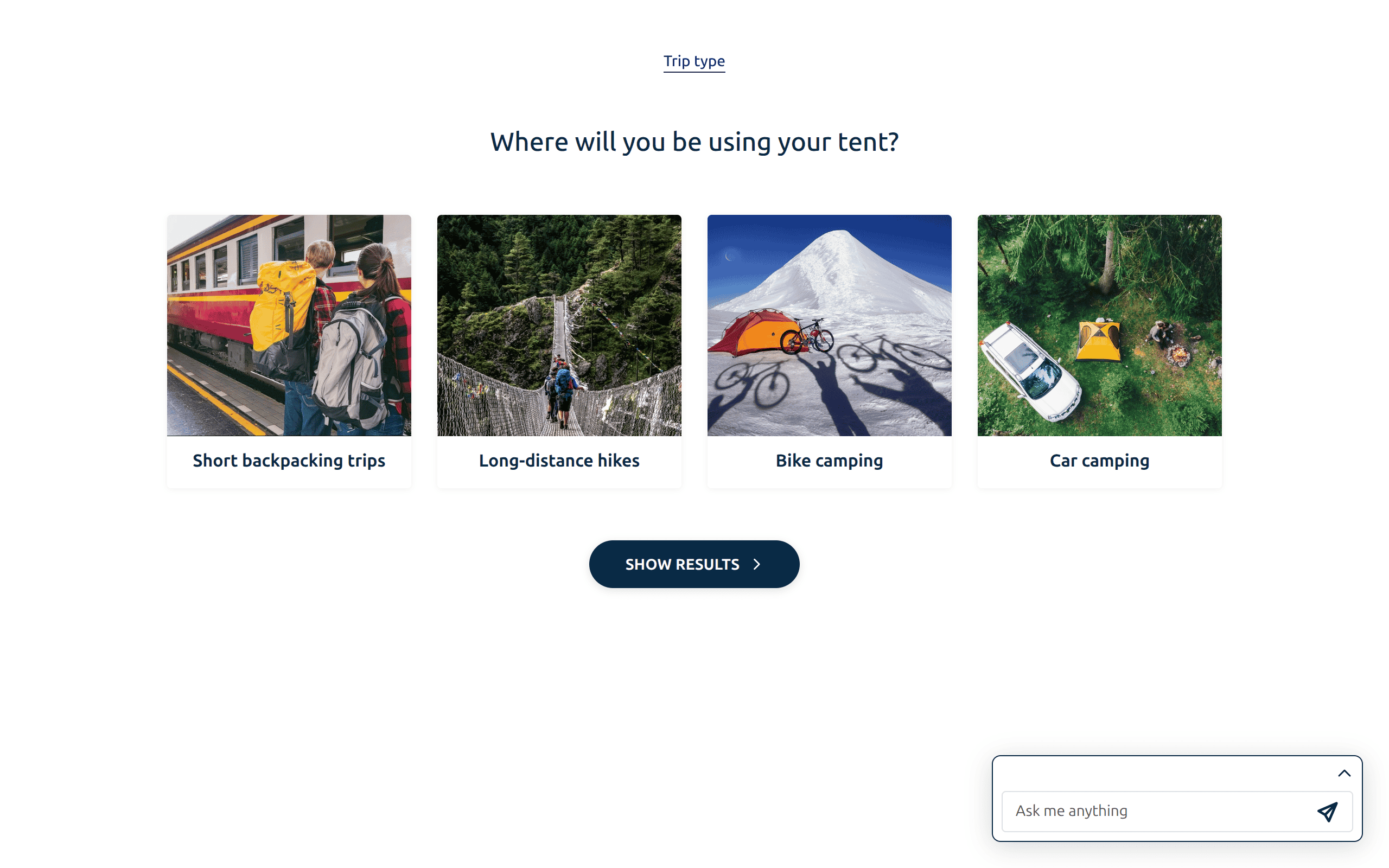
Check that it is really your advisor: answer the questions and go on to the results page. Wait for the product cards to appear. If the page says there are no products, go back to Before the workshop.
The box in the bottom-right corner is the assistant launcher. Leave it alone for now; you decide what to do with it in Step 16.
If yarn start stops with an error about previewLink, the link is missing or isn't a preview link. Copy it again from the Preview tab.
Leave yarn start running for the rest of the workshop. Open a second terminal in the solstice-theme folder for everything else.
Commit:
git commit -am "Name the theme and add the preview link"
Step 4: Your first change (5 min)
Goal: change one value and watch the browser follow.
Put the browser and your editor side by side.
Go to the first question. From the results page, click Back or the first step in the navigation bar.
In src/css/tokens.css, change --zv-color-brand on line 14 from #092a45 to #1f4d3a:
:root {
  /* ---------- Brand palette ---------- */
  --zv-color-primary: #002673;
  --zv-color-secondary: #0040b0;
  --zv-color-brand: #1f4d3a;
  --zv-color-brand-hover: #0d3a62;
  --zv-color-brand-pressed: #0b3458;
Save the file. Don't reload the page.
You should now see the question title, the answer labels and the button turn pine green. The outline of the assistant launcher follows too.
Before:
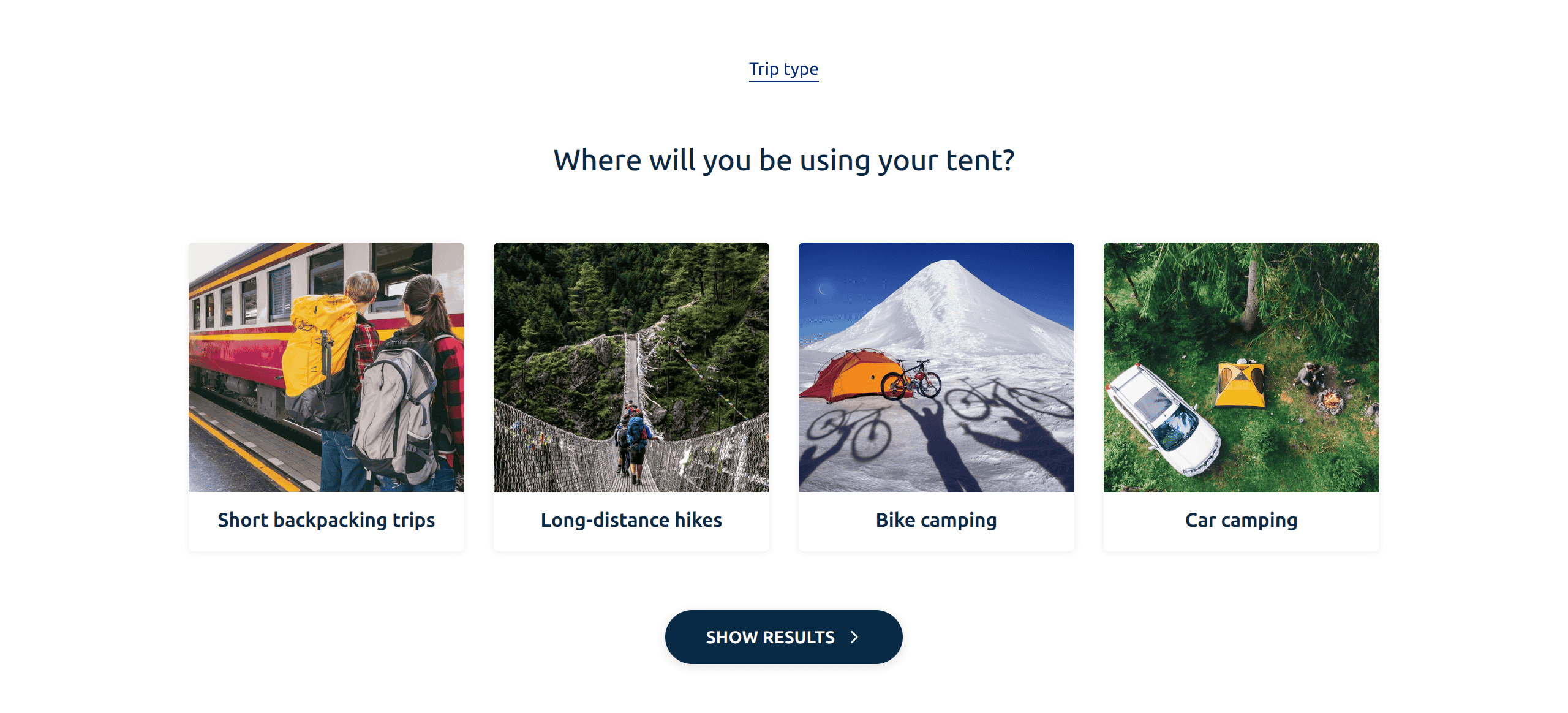
After:
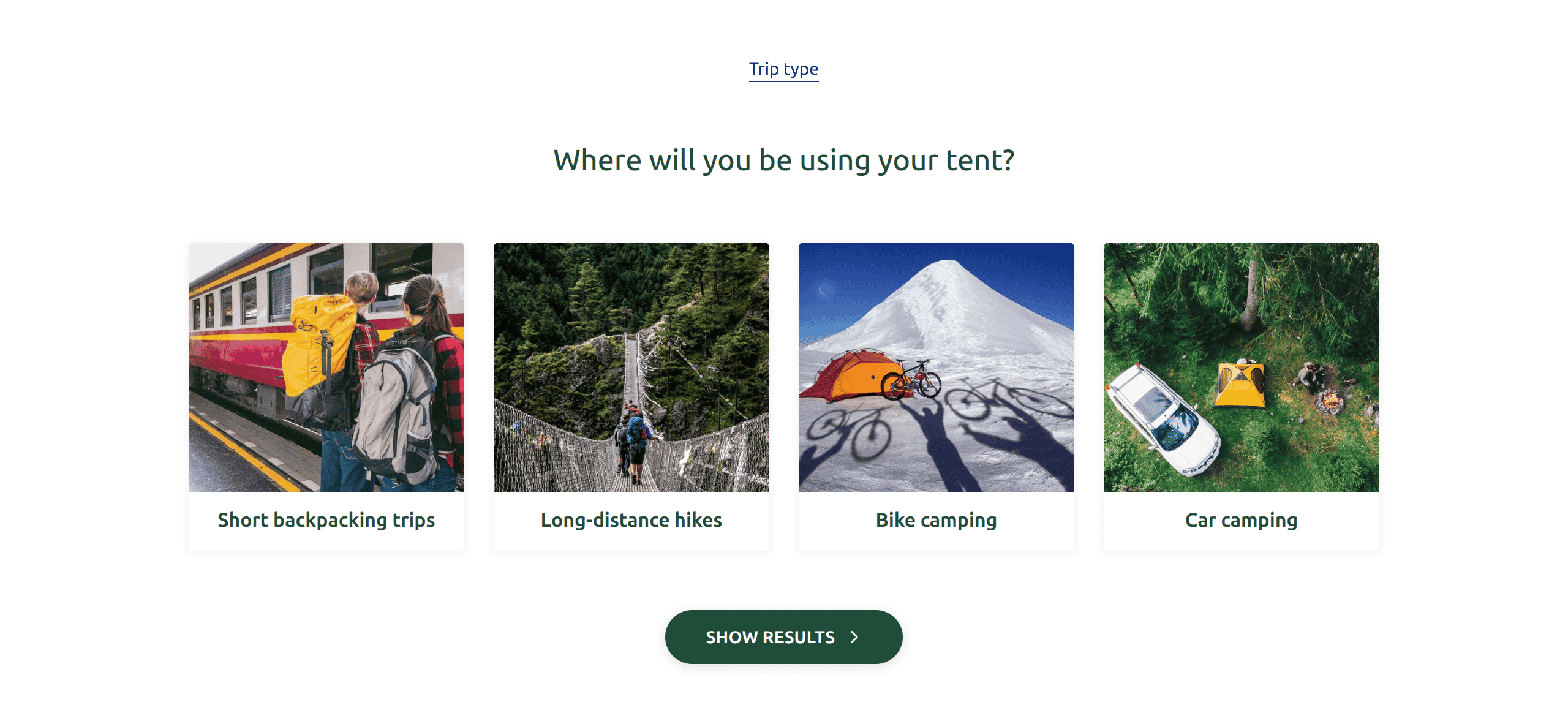
Changes to components and styles show up like this. You don't need to restart or reload.
Commit:
git commit -am "First change: pine brand colour"
Step 5: Tour of the project (5 min)
You changed one value and several things turned green. Here is why.
Goal: know where things live before you change more. This step is read-only.
A colour travels through three files before it reaches the screen. Components only use the names from variables.css, never a raw value:
So one changed value in tokens.css repaints every component that uses it.
The rest of the project, in five stops:
zoovu.manifest.jsholds the theme's name, label and icon, and the preview link for development.src/index.tsis the entry point. It exports the root component,src/advisor-view.component.vue, which puts the navigation bar, the current page and the bottom buttons on screen.src/components/has one folder per component. Insrc/components/results-page/,results-page.component.vueis the template, logic and scoped styles;results-page.preset.tslists the texts an editor can change on the Translation page of Experience Designer;results-page.configuration.tsgives those texts their types.src/css/tokens.cssholds the raw values: colours, fonts, sizes.src/css/variables.cssgives them names with a purpose, such as--zv-btn-primary-bg.AGENTS.mdis the project's rule book, for you and for AI coding assistants: the commands, the rules, and how to keep tracking, your advisor's analytics, working.
If you use an AI coding assistant, let it take the tour too:
Read AGENTS.md and tell me in five lines how this project is organised and which commands I must run before I call a change done.
Checkpoint. Your advisor runs in your theme, and you changed it. Three commits hold your way back: git log --oneline shows 3 lines.
If something is off
Installing the dependencies failed.Your Node.js is older than 22.13, or youryarnis Yarn 2 or newer. Fix the tool as in Step 1, delete the half-madesolstice-themefolder, then run thenpxcommand again.The folder … already exists.An earlier run left it behind. Delete the folder or choose another name.Port 3000 is in use, trying another one...This is not an error. Open the address thatyarn startprints under it.
The Troubleshooting page has more.
Next: Part 2: Brand it.