Conversational Discovery
Conversational Discovery combines the power of an AI assistant and intelligent search. It works together with clean product data and AI-generated product descriptions from the Data Platform to create an engaging and helpful shopping experience.
To start using Conversational Discovery, please contact your Zoovu representative or send a message to the Customer Success Team.
Desktop experience
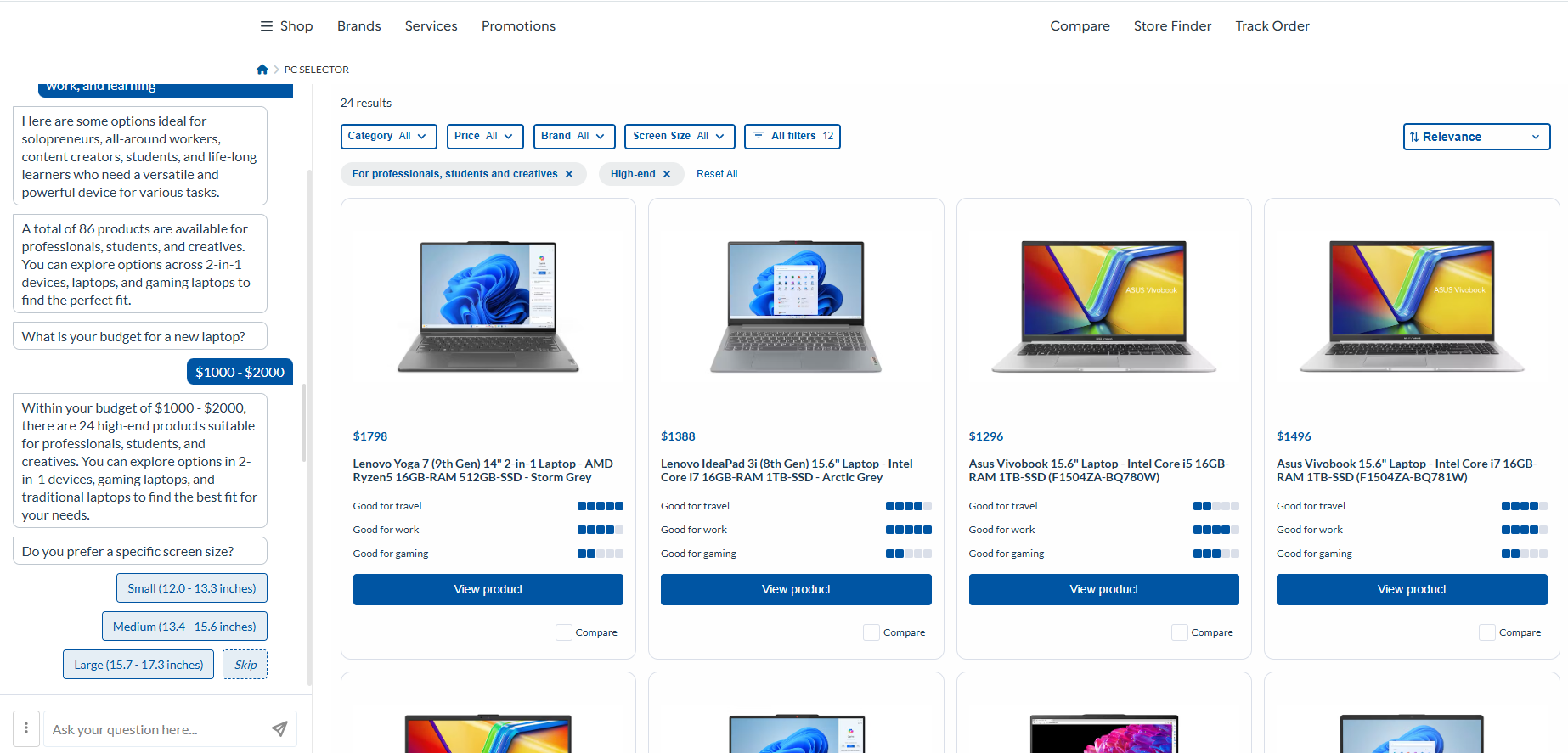
When viewed on desktop, the experience includes:
Chat interface
Ask Zoe to filter or sort products, learn about categories, or get product-specific info.
Search results panel
Displays a grid of product cards with key details, applied filters, and sorting options.
Filter options
Customers can apply filters manually from the top filter list or open the full filter panel.
Mini-PDP
Click a product to open a Mini-PDP. It shows a generated description, attributes, and extra details like accessories or size charts. Users can ask follow-up questions about the product here.
Guided questions
Suggested questions appear when users browse general results, helping them filter faster.
Suggested questions in Mini-PDP
When viewing a product, users may see helpful question suggestions.
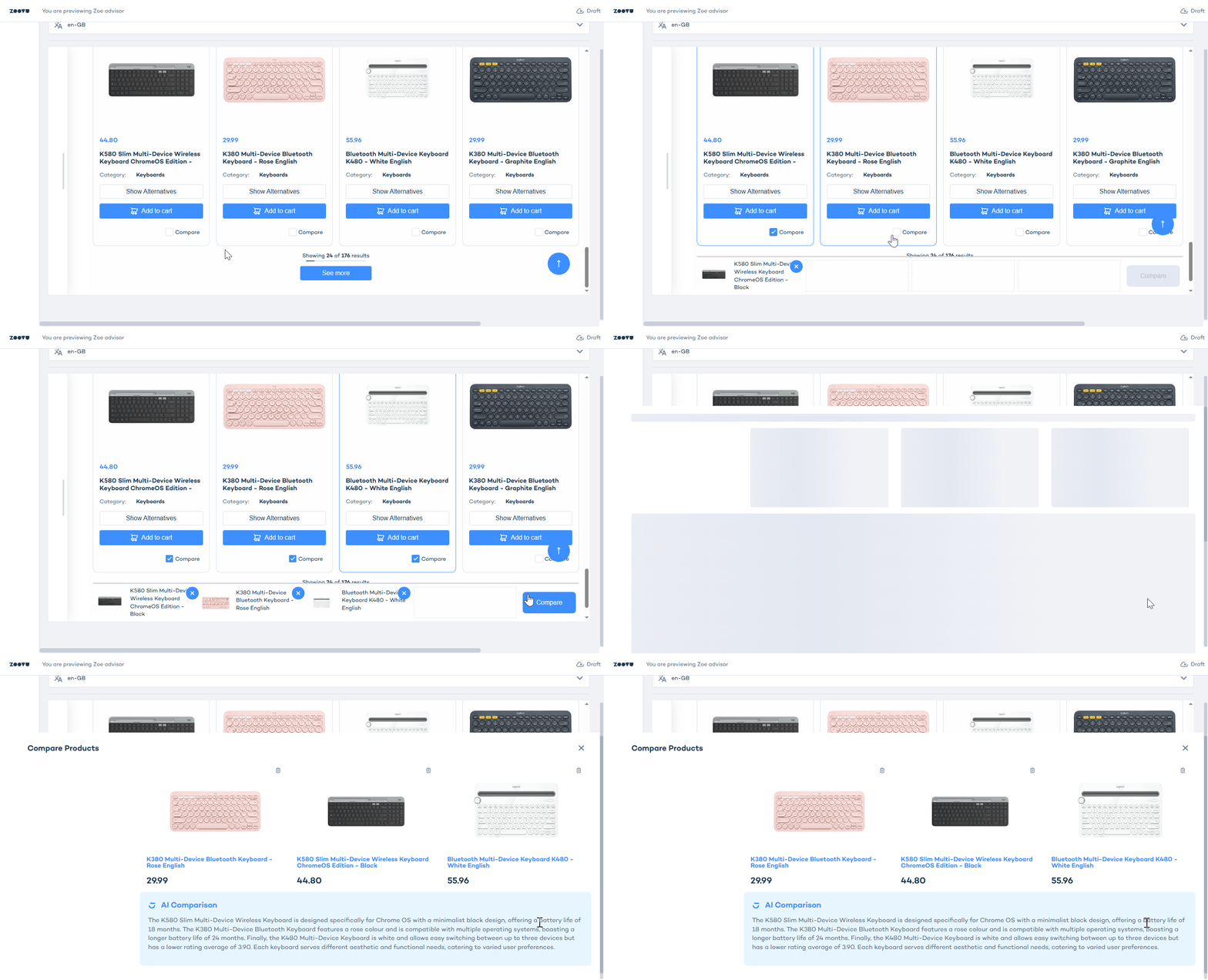
Comparison mode
Add products for comparison. This mode shows a summary and a table view of product attributes.
Mobile experience
On mobile, the layout is optimized for smaller screens:
Chat interface
Pinned to the bottom and scrolls up to two-thirds of the screen. Works just like desktop—users can ask questions and apply filters.
Results view
Shows a list of product cards with applied filters at the top.
Filter panel
Opens as a modal via the All-filters button.
Mini-PDP mode
Opens as an overlay when a product is selected. The chat remains visible at the bottom.
Comparison mode
Opens as a full screen view with horizontal scroll for product and attribute comparison.