Experience Designer Vue 3 migration
Overview
- The Vue 2 runner (
@zoovu/runner-browser-api) is being deprecated. - The Vue 3 runner (
@zoovu/runner-vue3-renderer) replaces it with the same public API. - ExD 5.x uses the Vue 2 runner; ExD 6.x+ uses the Vue 3 runner.
Impact
- New themes are already on Vue 3. No action required.
- Themes with Vue 2 custom extensions: Remain on ExD 5.x until extensions are rebuilt for Vue 3.
- Themes without custom extensions: Plan to move to ExD 6.x and the Vue 3 runner.
Actions
- New projects: Start on ExD 6.x+ with
@zoovu/runner-vue3-renderer. - Existing, no custom extensions: Schedule upgrade to ExD 6.x and switch to the Vue 3 runner.
- Existing, with Vue 2 custom extensions: Stay on ExD 5.x, plan to rebuild extensions in Vue 3, then upgrade.
Component update in Experience Designer
Before you start, create a backup: in Experience Designer, use “Save theme as” to clone your current theme.
- Open Experience Designer and open your theme.
- Click Update Manager (left sidebar).
- Review the update details and changelog.
- Check the consent box and click Update.
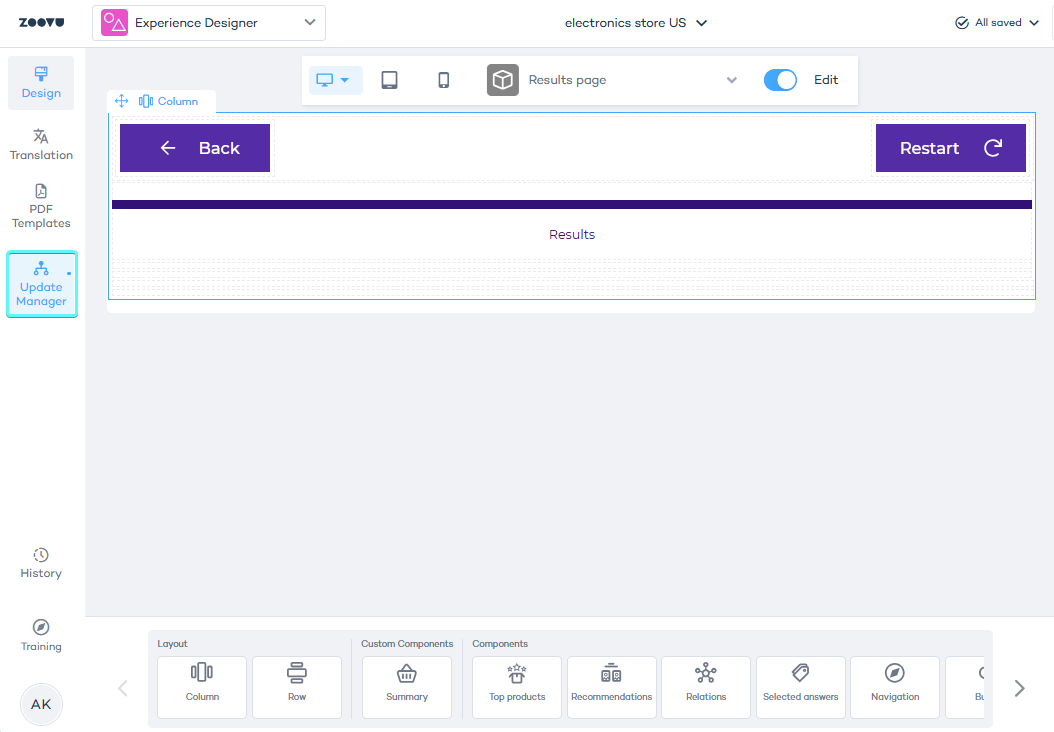
What happens:
- Your theme’s components are upgraded to the latest version supported by your setup.
- If your theme has Vue 2 custom extensions, you’ll see a banner and can update only up to 5.84.8 (Vue 2).
- If there’s no banner, your components move to the Vue 3 line (ExD 6.x).
If you see the custom extensions warning, stay on the Vue 2 line (up to 5.84.8) for now. Plan to rebuild your custom extensions for Vue 3 before moving to ExD 6.x.
After the update, review and test:
- Custom extensions or custom code
- User journeys (navigation, recommendations, routing)
- Any CSS overrides and third‑party scripts
If something isn’t right, switch back to your backup theme copy created with “Save theme as.”