Zoovu Home
Zoovu Home is the main entry point to your Zoovu account. You can access it at home.zoovu.com It brings all studios and management tools together in one place so you can move easily between data preparation, search setup, assistant design, and reporting.
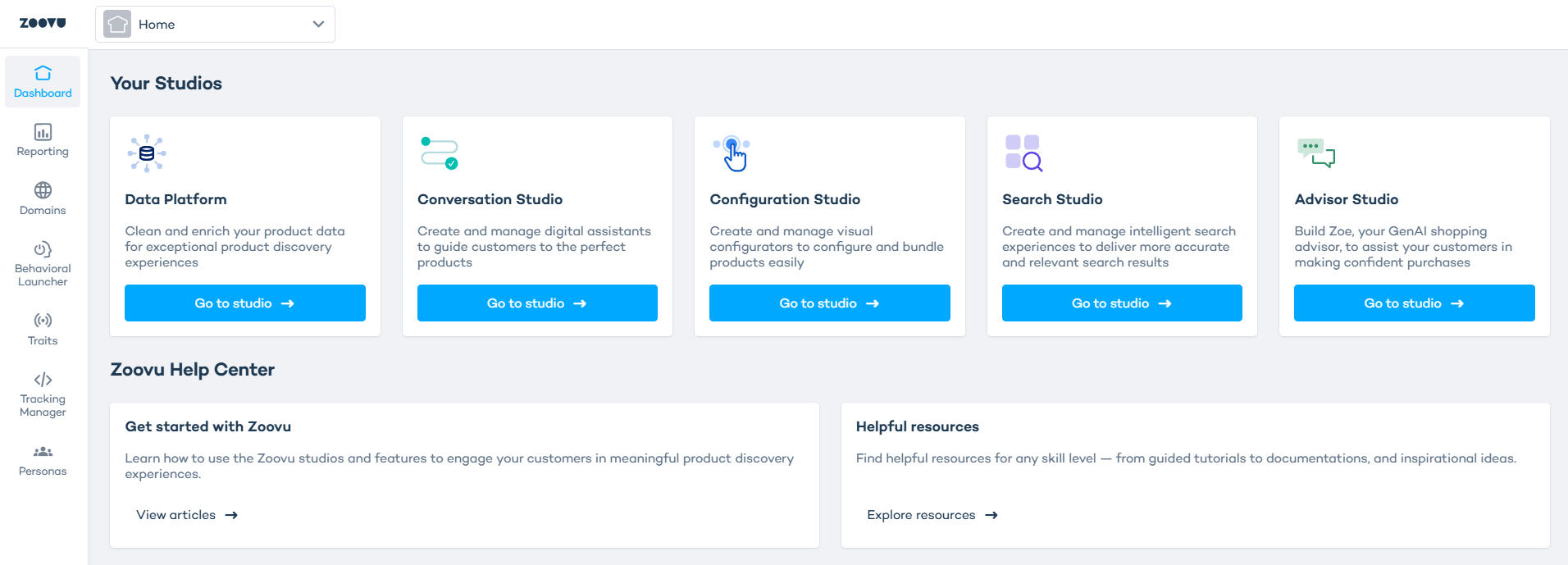
Your studios
The dashboard displays all studios available in your account.
- Data Platform: Prepare, clean, and enrich product data for all experiences.
- Conversation Studio: Build and manage conversational assistants that guide shoppers step by step. Create visual configurators and bundled product experiences.
- Search Studio - Customize AI Search and manage search behaviour, filters, and ranking.
- Advisor Studio - Build Zoe, the GenAI shopping advisor that answers questions and guides buying decisions.
Zoovu Help Center
Click the Help icon in the left sidebar to access support resources:
- Help Center – how-to articles, technical documentation, API docs
- Training Hub – Zoovu Pioneers courses and guided learning paths
- What’s new – release notes, masterclasses, webinars
- Ask support – open a support request with Zoovu Support Team
Home features
Use the left sidebar to move between Home features:
- Reporting – view performance and analytics
- Domains – manage website domains and data sources
- Behavioral Launcher – set rules that trigger experiences on your site
- Traits – create real-time behavioural signals
- Tracking Manager – configure event tracking
- Personas – define and manage persona cohorts
- Audit Log – view important system actions and changes performed in the account
- Admin – manage user access, permissions, and account settings