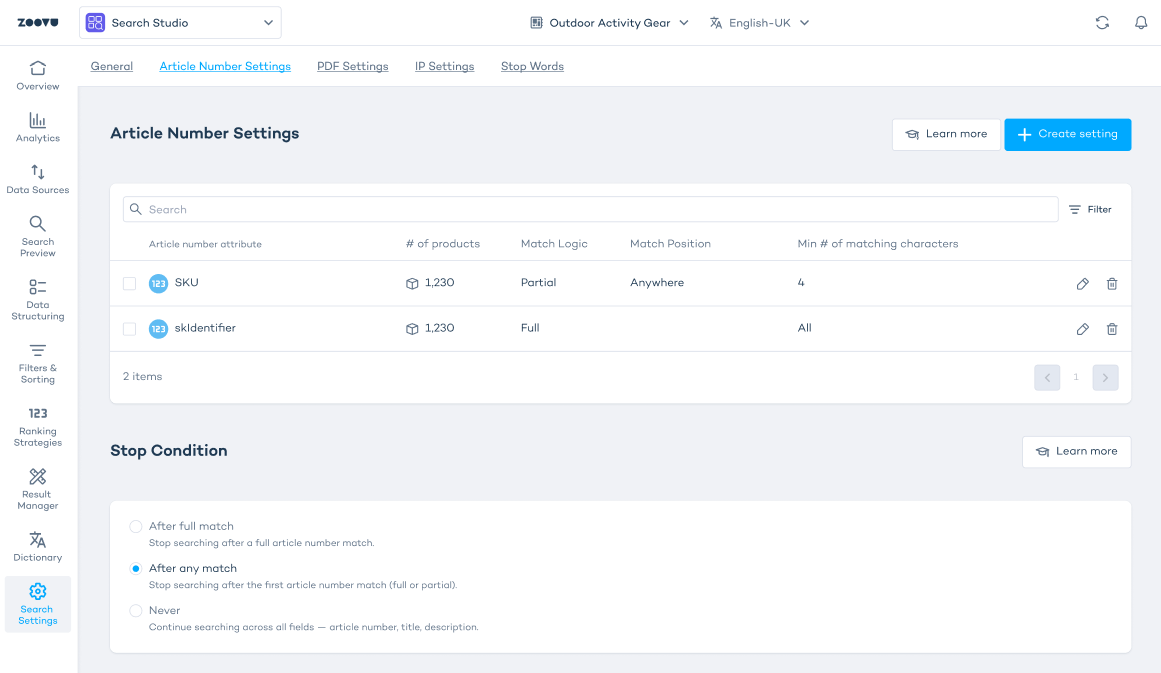
Article number settings
Article number settings let you define how Search Studio handles identifiers such as SKUs, part numbers or article numbers. You can set specific matching rules for each identifier field to control how search interprets the input.
You can choose:
- Which attribute should follow article-number logic.
- Match type (full match or partial match).
- Extra rules for partial matches, such as match position and minimum characters.
- Stop conditions to decide whether search should continue checking other fields after an identifier matches.
Enable article number settings
- Go to Search Settings in Search Studio.
- Turn on the "Enable New Article Number Searcher" switch.
- Click Save.
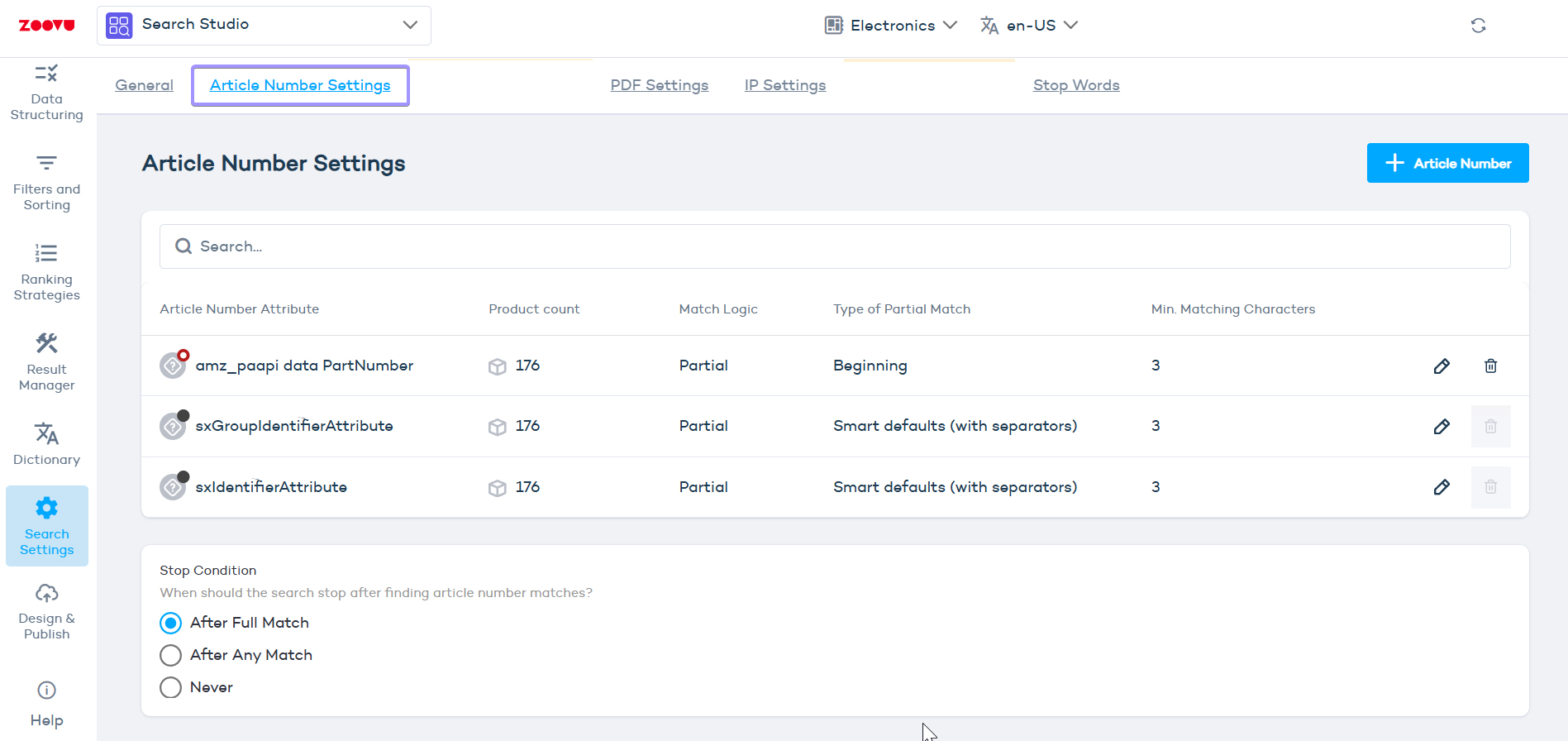
::: Once enabled, article number settings are available in a dedidated tab in Search Studio > Search Settings. :::
Create article number settings
- Open Article Number Settings.
- Create your first rule.
- Choose which product attribute should follow the rule.
- Use only identifier fields (e.g. article numbers or SKUs).
Use article number settings on fields that store structured identifiers (SKUs, part numbers). Skip descriptive attributes, as they don’t benefit from this logic.
Choose the match type
- Full match - Search only finds a product when the entire identifier is entered exactly. Full match is useful when your identifiers are short or when partial input would return too many results.
- Partial match - Search can match even when only part of the identifier is entered. Choosing partial match is best for long or structured identifiers that customers often enter partially.
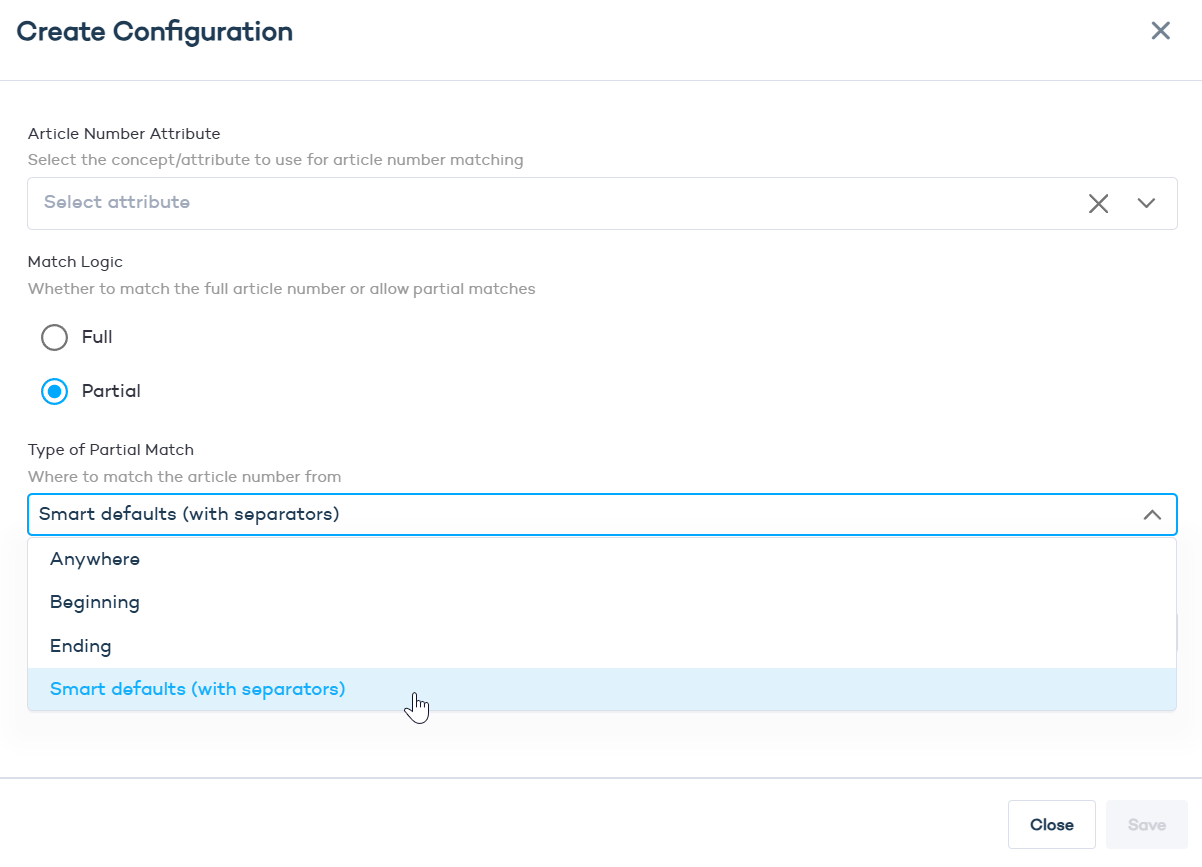
When using partial match, you can configure:
- Match position - Set where the partial input must appear in the identifier: anywhere, beginning, or end.
- Minimum characters- Set the number of characters required before a match is treated as valid. Values below 3 are not supported because they create too many incorrect matches.
Set the stop condition
The stop condition defines when search should stop evaluating other attributes once an article number match is found.
- After full match - Stop only if the user enters an exact identifier.
- After any match - Stop when either a full or partial match is detected.
- Never - Continue evaluating other fields even if an article number matches. Useful when article numbers are not the sole basis for ranking results.