Vector search
Search Studio gives you access to our AI-powered, intent-based search engine. With our vector search add-on, you can add even more intelligence to your search results. Vector search uses vector embeddings to further improve how products are matched to what users type in the search bar.
To activate vector search, please contact your Zoovu representative or send a message to the Customer Success Team
Enable vector search
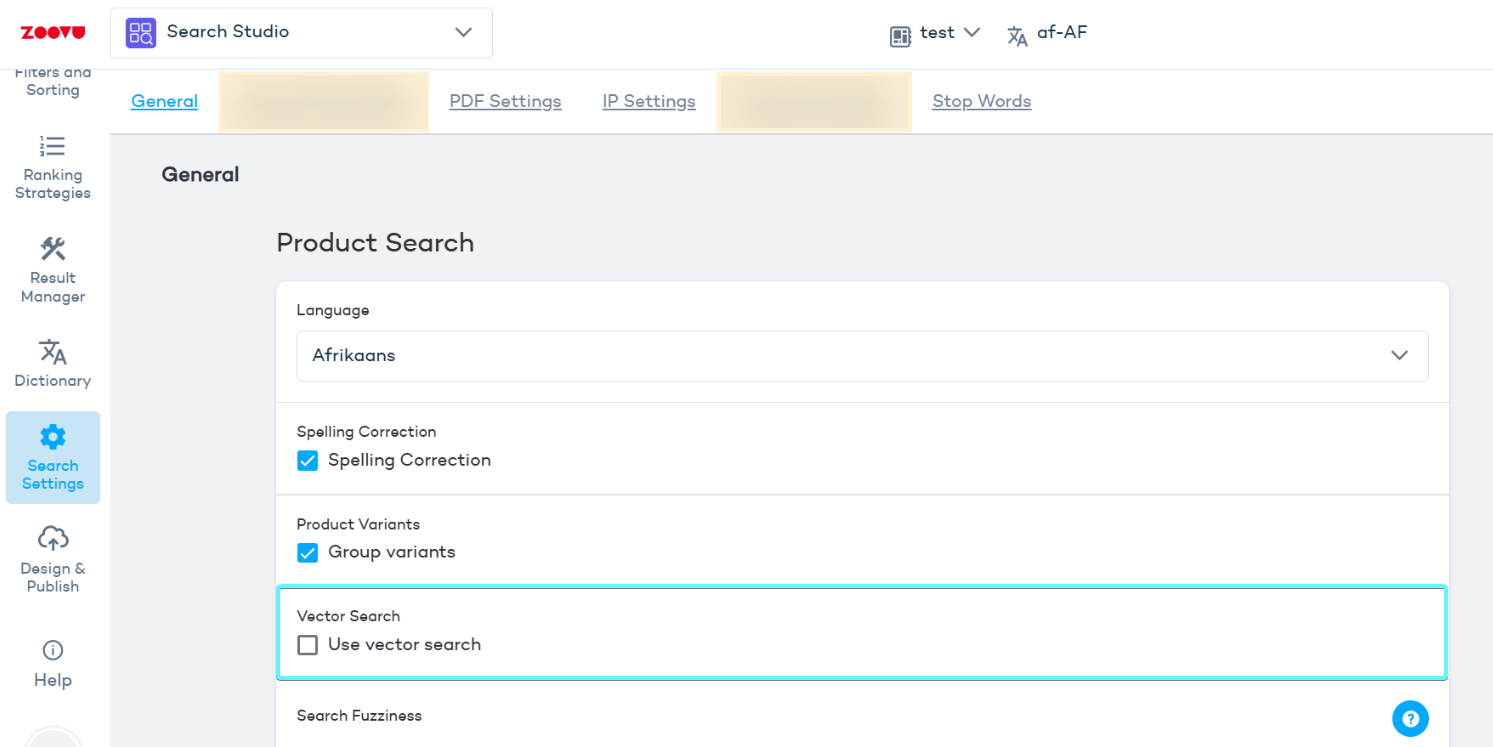
- Go to Search Studio > Search settings > General settings.
-
Select Enable vector search.
-
Your product data will be vectorized after your next full update. You can run it manually or wait for the next scheduled update.
Once the update completes, search results will start using AI-powered semantic matching.
Once the update completes, search results will start using AI-powered semantic matching.
Vector search fuzziness
Vector search fuzziness defines the allowable distance in vector space for results to be considered a match.
- Lower fuzziness values return results that are very close in meaning to the search query. You might use it for specific product searches (e.g. SKU-based or technical terms).
- Higher fuzziness allows a broader interpretation and may include results that are less similar. Use it for broader or natural-language searches (e.g. “cordless drill for small projects”).
Optional threshold
You can define when vector search should activate, to balance performance. For example, set it to trigger only if fewer than 5 results are found with the standard search.