Project versioning
A redeployable version is a working copy of a project group. You can edit it independently, QA your changes, preview what will be updated, and then redeploy those changes to the source project group when you are ready.
To activate project versioning, please contact your Zoovu representative or send a message to the Customer Success Team.
Glossary
| Term | Meaning |
|---|---|
| Project group | The live container for projects and locales. |
| Source project group | The project group that a redeployable version was created from. |
| Locale | A language or market within a project group. |
| Version | A saved copy of a project group. |
| Redeployable version | A version that can be edited, tested, and pushed back to its source project group. |
| Redeploy | The action of applying changes from a redeployable version to its source project group. |
| Preview | The list of added, removed, and modified items shown before a redeploy. |
When to use a redeployable version
Use a redeployable version when you need to make changes that should not affect the live experience until they have been reviewed.
- Updating ontology, catalogs, relations, filters or other configurations.
- Preparing updates across one or more locales.
- Reviewing exactly what will change before applying updates to the source project group.
| Use a regular version when... | Use a redeployable version when... |
|---|---|
| You need a static snapshot of a project group at a point in time. | You need a working copy that can be edited, tested and pushed back to the source. |
| You do not plan to apply changes from the version back to the source. | You want a safe QA environment before going live. |
| You want to preserve a copy for reference. | You want to make controlled updates without editing the live project group directly. |
How redeployable versions work
A redeployable version follows this flow:
Create → Edit → Preview → Redeploy → Live
When you create a redeployable version, Zoovu creates a copy of the selected project group and locales. You make changes inside that version, not in the source project group.
A redeployable version includes:
- Configurations, including ontology, catalogs, relations, filters etc.
- Products as an initial copy from the source project group.
Products are copied when the version is created. They are not kept in sync automatically.
A redeployable version does not include:
- ETL configurations
- Product changes as redeployable changes
- Product results
- The project and project-group records themselves
Use redeployable versions for configuration changes. Use Sync products when you need the version to reflect the latest product data from the source project group during QA.
Before you start
The redeployable versions feature must be enabled for your account. Contact Zoovu Support and ask them to enable DATA_VERSIONING.
Create a redeployable version
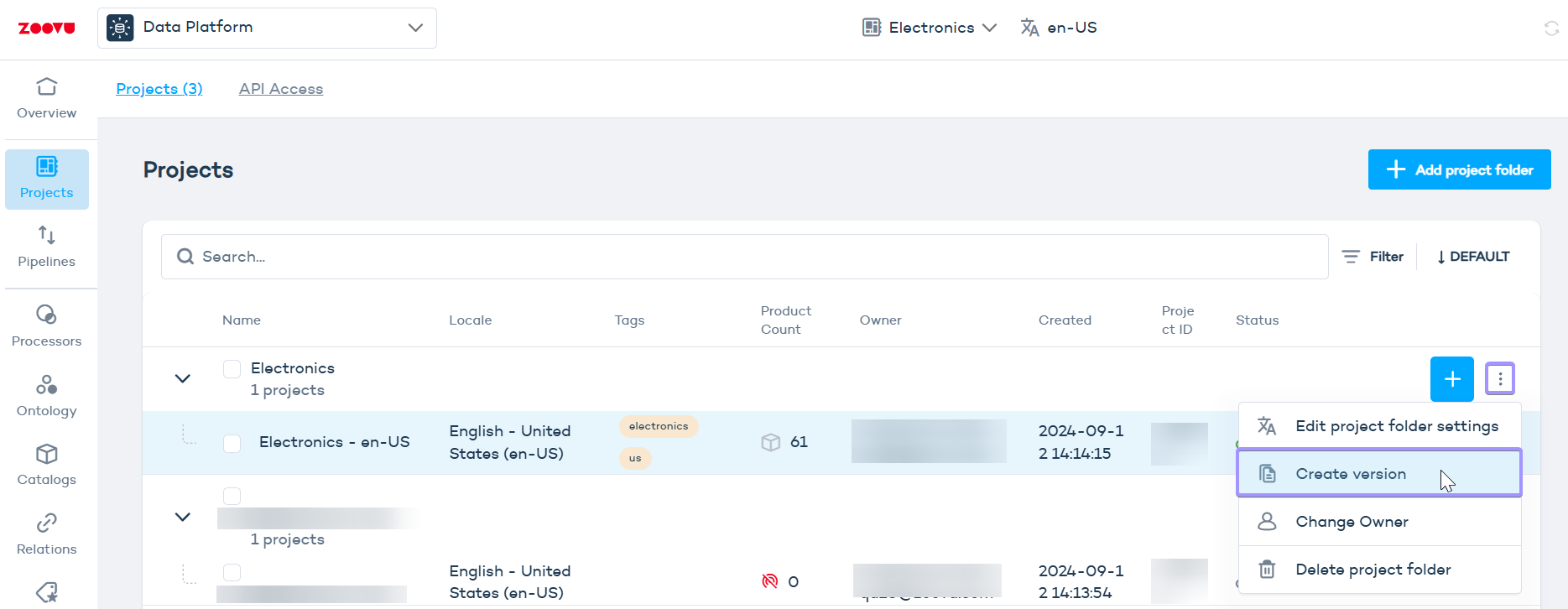
- Open the project group you want to copy.
- Open the version creation dialog.
- Name the version.
- Turn on the Redeployable toggle.
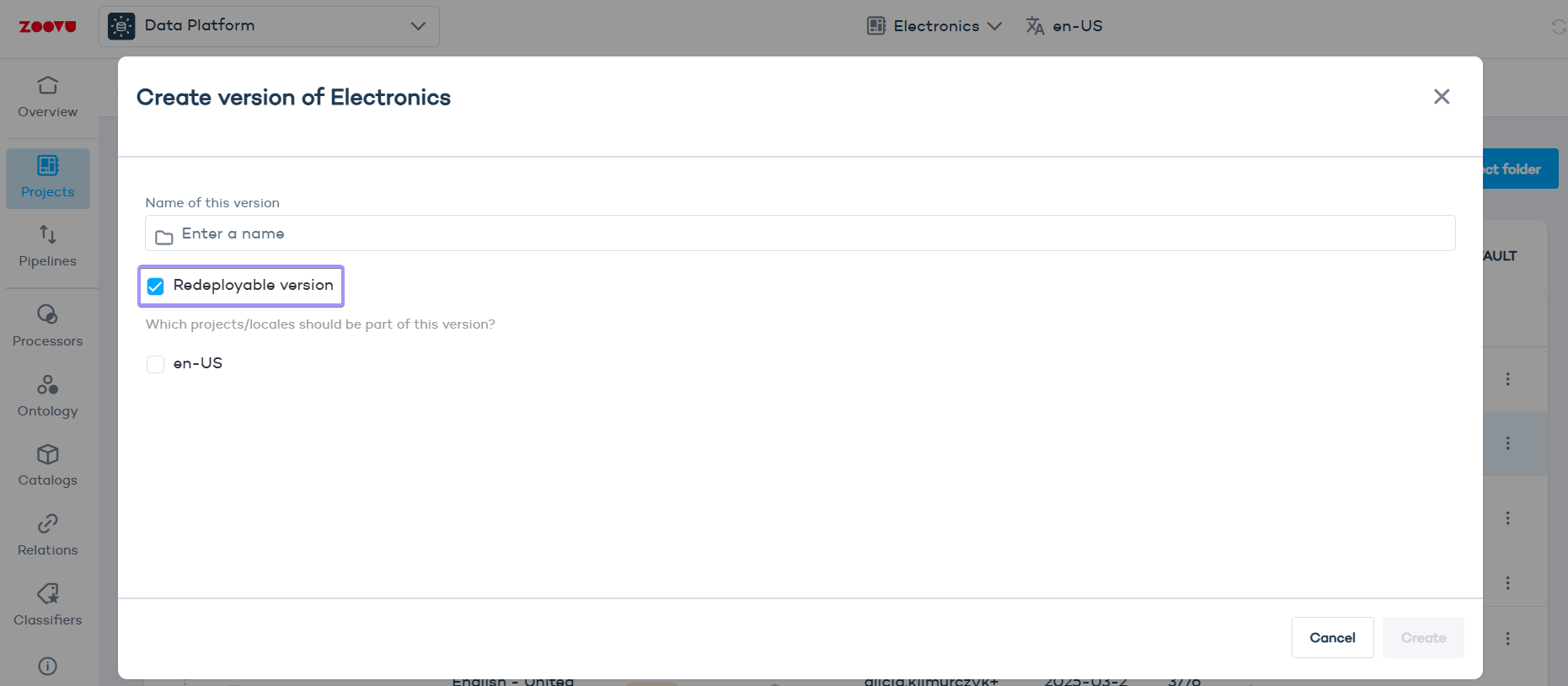
- Select the locales you want to include.
- Save.
Redeployable versions are marked with a version tag in the Projects list.
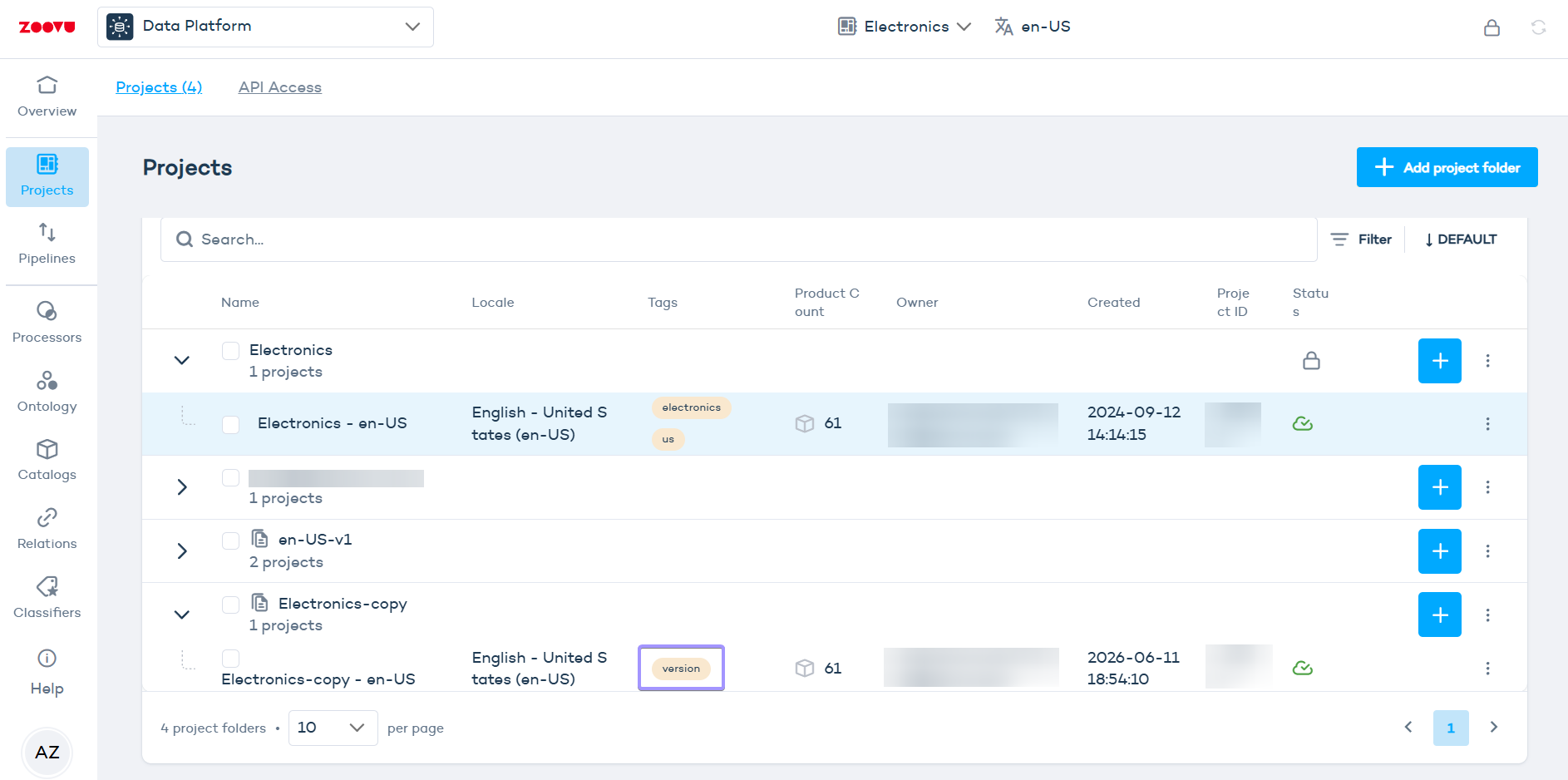
Only one redeployable version can exist for a project group at a time.
Edit a redeployable version
After a redeployable version is created, you can make your changes inside the version without changing the live source project group.
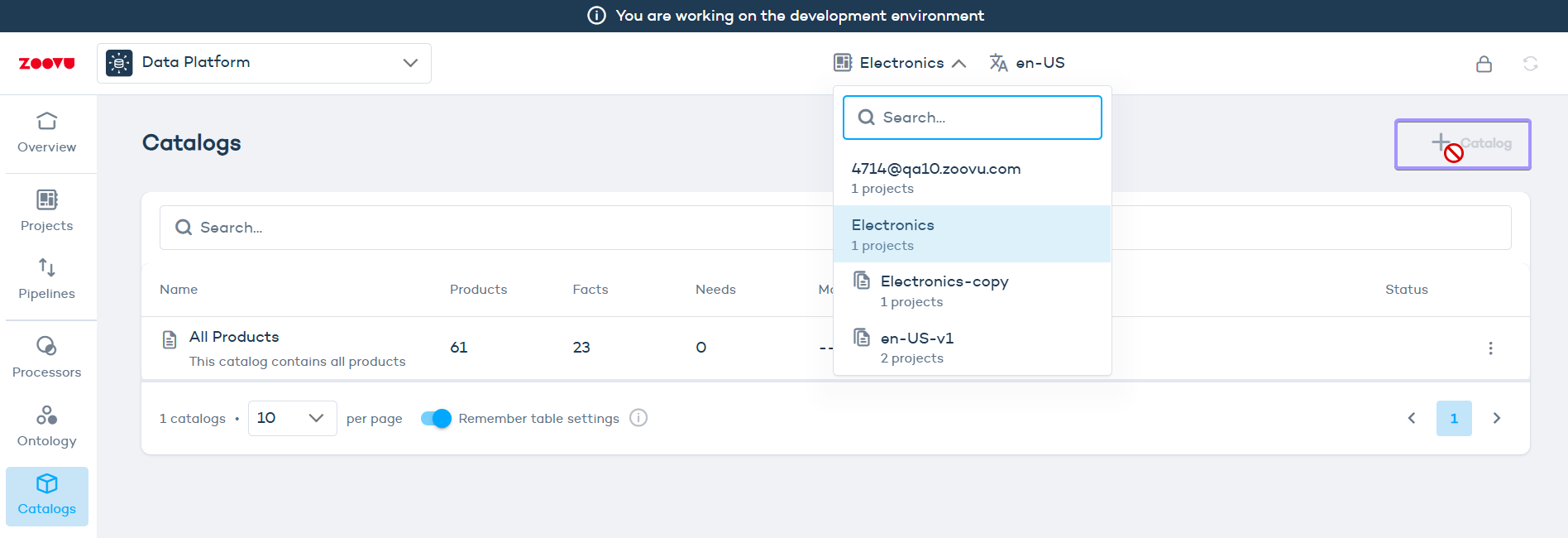
The source project group becomes read-only for the locales included in the redeployable version. This prevents conflicting changes while the version is active.
Sync products from the source
Products are not synchronized automatically after the version is created.
Use Sync products inside the version to refresh product data from the source project group.
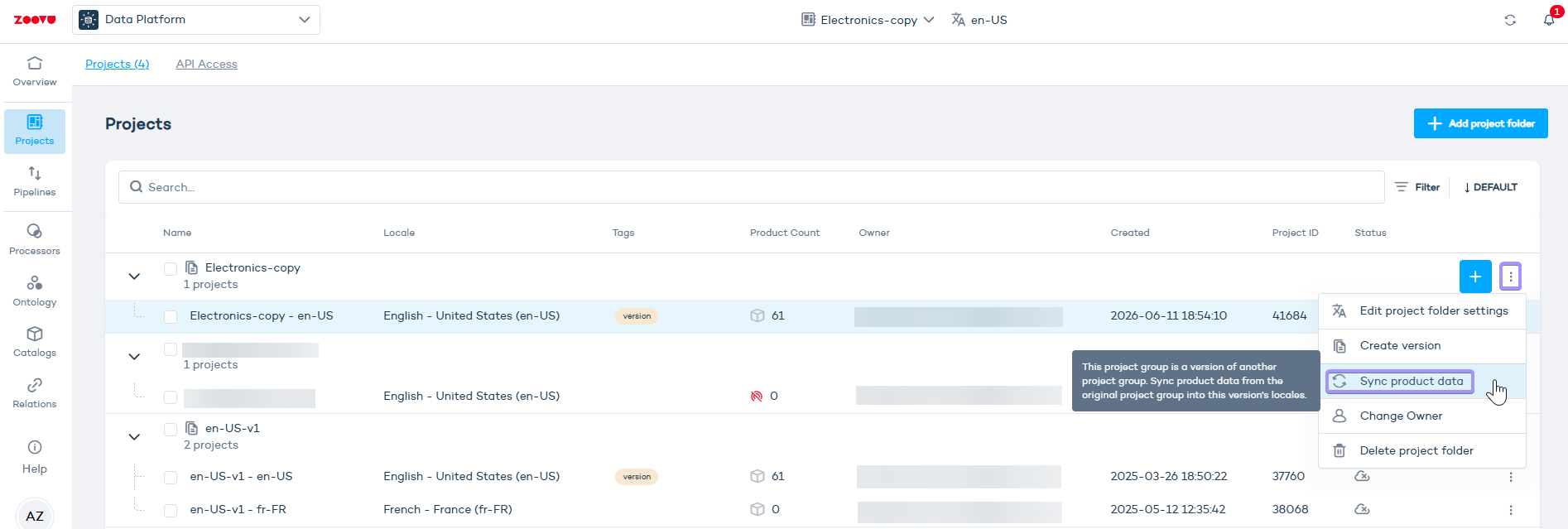
Syncing products updates the product data inside the version. It does not redeploy product changes back to the source project group.
Preview changes
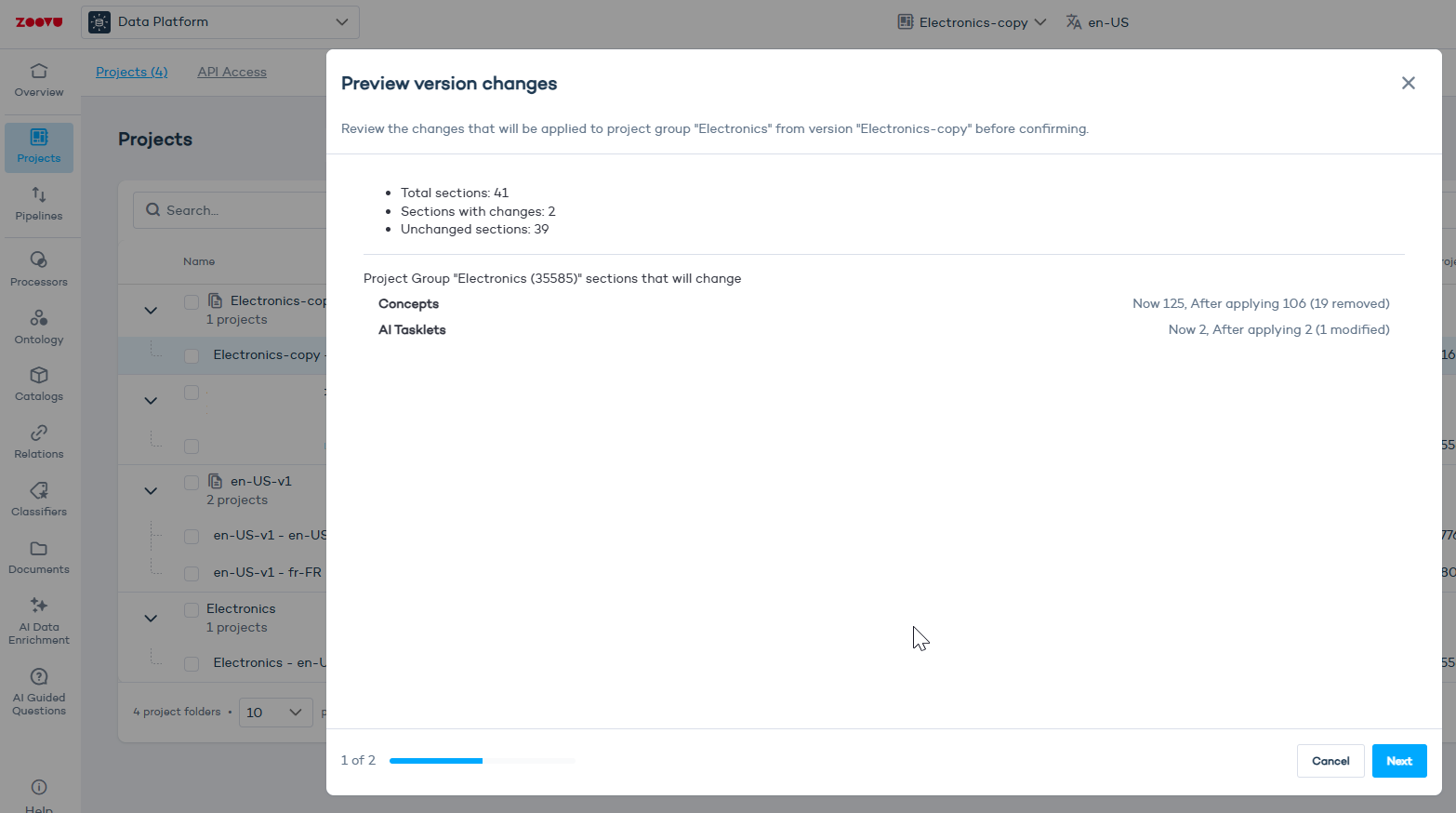
Before applying changes to the source project group, open the preview.
The preview shows what will change during redeploy, including, removed and modified items.
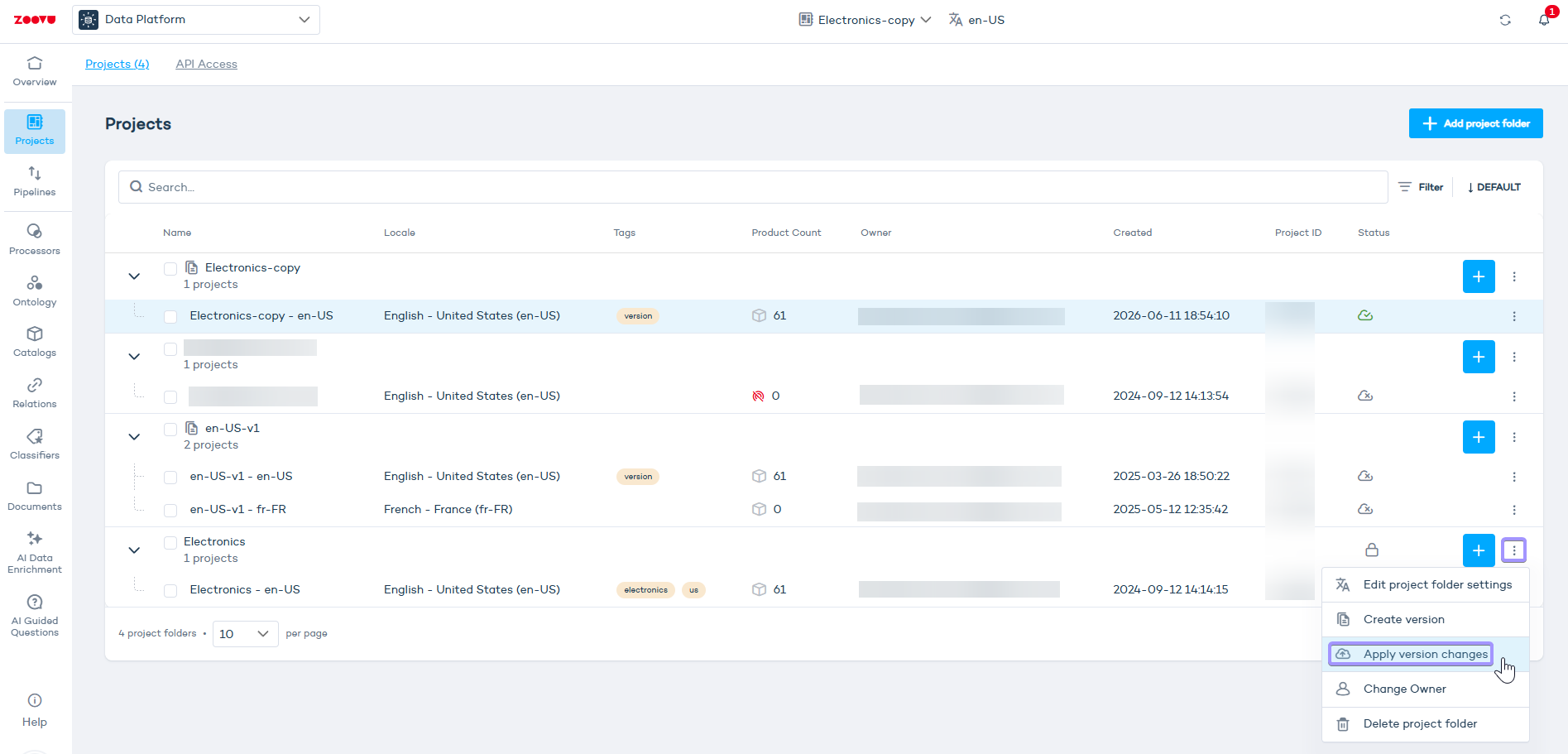
- Click project settings on the live project.
- Select
Apply version changes. - Review the changes in the preview before clicking Next.
Redeploy changes to the source
When you are ready to apply the changes:
- Review the added, removed, and modified items.
- At this point, you can delete the version. Deleting a version removes the working copy only. The source project group is not changed.
- Click Apply changes.
The changes from the version are applied to the source project group.
After the version is deleted, the source project group becomes editable again.
Troubleshooting
Why can't I edit the source project group?
A redeployable version exists for that project group. While the version is active, the source project group is locked for the included locales to prevent conflicting changes.
Make your updates inside the version, or delete the version to unlock the source.
Why is my SAP ontology import not visible on the source?
SAP ontology imports are redirected to the active redeployable version.
Open the redeployable version to view the imported data.
Why are product changes not visible in the version?
Products are copied when the version is created, but they are not synchronized automatically.
Run Sync products inside the version to pull the latest product data from the source project group.
How do I discard changes made in a redeployable version?
Delete the redeployable version. The source project group is not affected, and it becomes editable again after the version is deleted.