Create relations from an identifier list
A relation connects products through matching rules that you set up in Data Platform. But some catalogs already store the related products: a product has an attribute that lists the identifiers (product IDs) of the products it relates to. In that case, you can skip the matching rules and use the identifier list to connect the products.
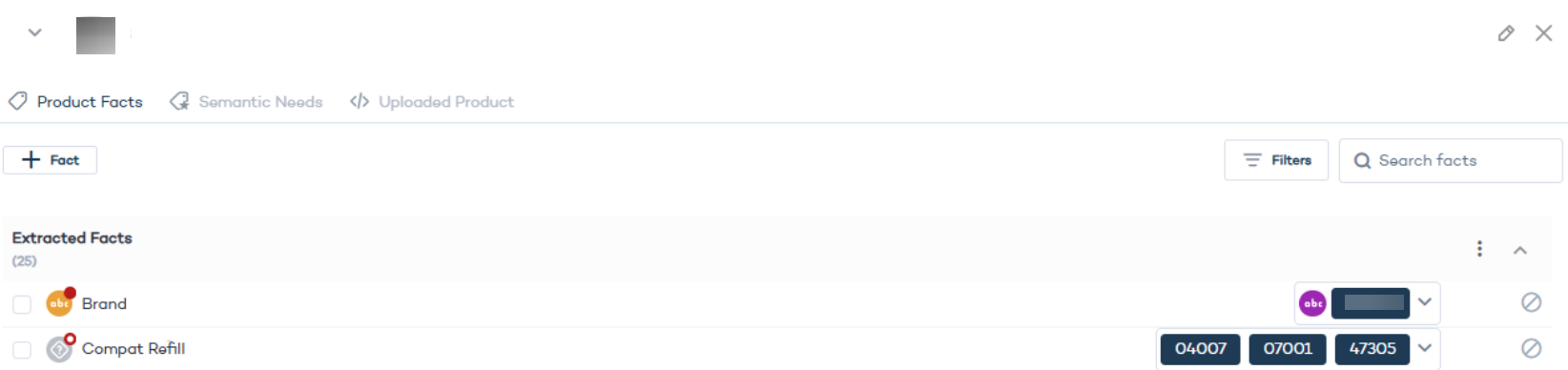
Example: A dispenser has an attribute Compat Refill with the values 04007, 07001 and 47305. These are the identifiers of the three refills that fit it. When you mark Compat Refill as an identifier list, a relation can connect the dispenser to exactly those three refills.
Before you start
You need:
- Main products with a list of related product IDs. The IDs are stored in one attribute, one ID per value.
- Related products whose
sxIdentifiermatches those IDs. Each ID in the list must equal thesxIdentifierof the related product. (For example, if the list contains04007, a refill withsxIdentifier=04007must exist in the catalog.)
Step 1: Check the attribute values
- In Ontology > Attribues, open one of your main products.
- Go to Product Facts > Extracted Facts.
- Find the attribute and check that each related product ID shows up as a separate value.
- Open the Settings* tab.
- Under Identifier list, select Yes.
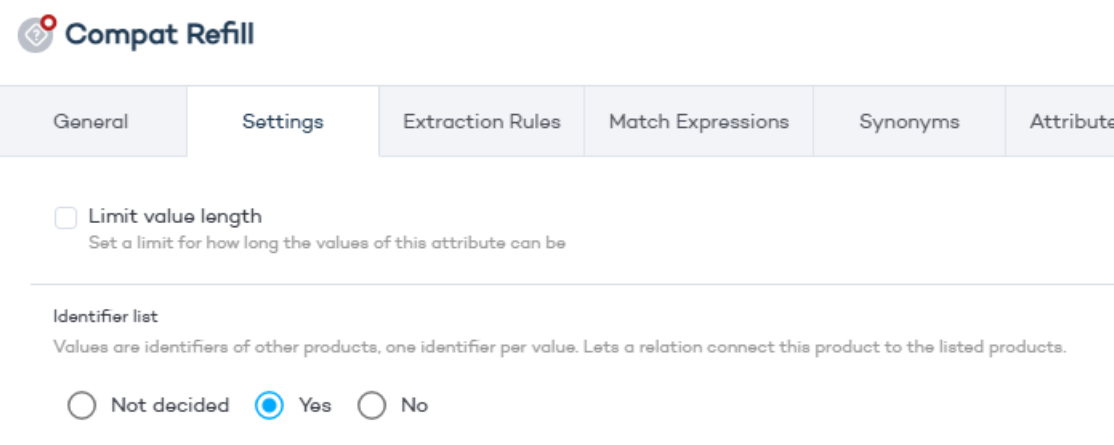
Data Platform now treats the values of this attribute as identifiers of other products.
Use the attribute as a connection
- In Data Platform > Relations, create a Compatible relation or open an existing one. See Create a compatible relation.
- Filter the left side to your main products (for example, dispensers) and the right side to the related products (for example, refills).
- Click + Connection and select the identifier list attribute.
- Click Save.
The connection links each main product to the products whose sxIdentifier is in its list.
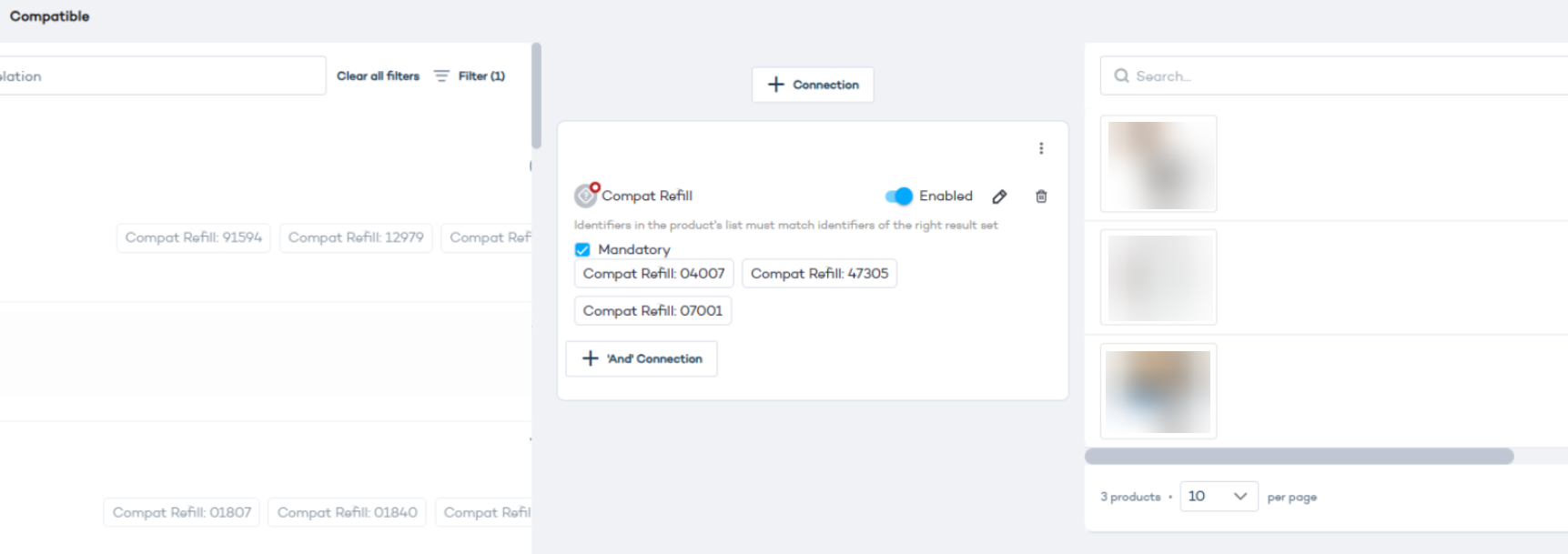
To check the result, click Show matching next to a main product to see which products it's connected to.
Then, use the relation in a configurator, bundle assistant or search.