Use Personas to enhance your Zoe
A persona is a compact profile that captures who a user is and what they’re doing in a session (locale, device, entry path, search terms, viewed products, filters, sentiment, price sensitivity, goals). Zoe can use this information to steer tone, suggestions, rankings, and other personalized experiences.
This works regardless of the product category or use case, as long as your domain sends tracking data.
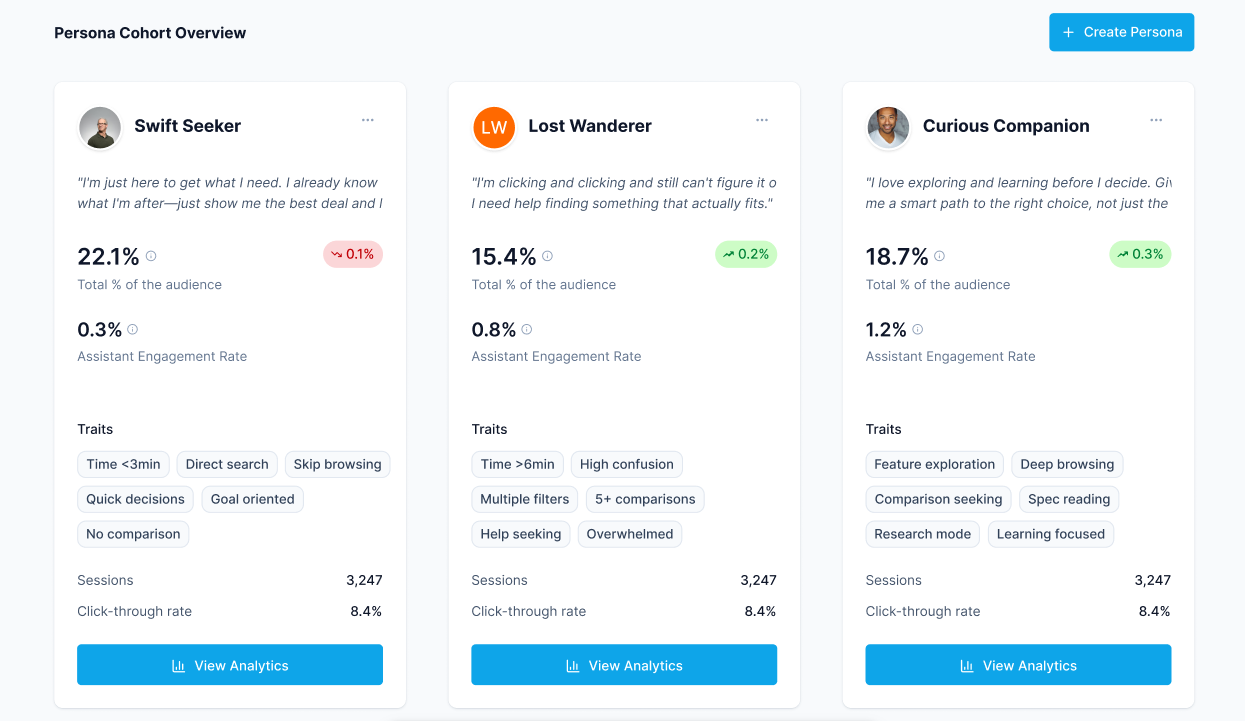
Use personas in a Zoe setup
- Create and publish traits in Zoovu Home > Traits. Learn more.
- Build personas based on those traits in Zoovu Home > Personas. Learn more.
- Once personas trigger, Zoe automatically receives their labels.
- Zoe uses these labels to adjust responses dynamically (no additional setup needed).
Examples
Guidance for confused users
Persona: "Lost Customer"
Rules: many PDP views + no cart activity
Zoe can:
- offer clearer explanations
- ask clarifying questions
- provide side-by-side comparisons
Targeting highly engaged buyers
Persona: "Ready to Buy"
Rules: multiple add-to-cart events + recent checkout return
Zoe can:
- focus on availability and pricing questions
- reduce introductory explanations
- highlight urgency or stock-related details (if available)
Tailoring tone and details
Persona: "Technical Enthusiast"
Rules: repeated visits to high-spec product pages
Zoe can:
- use more technical vocabulary
- offer deeper feature breakdowns
- skip beginner-level explanations