Trigger a pipeline via a webhook
Use a webhook trigger when you want to start a Data Platform pipeline from an external system - a third-party tool, scheduler or automation workflow.
A webhook trigger gives your pipeline a unique URL. To run the pipeline, send a POST request to that URL with an account-level API key in the Authorization header. Learn more.
Before you start
Make sure you have:
- A Data Platform project with an existing pipeline.
- An account-level API key for the account that owns the pipeline.
Set the pipeline trigger to webhook
- Open your project in Data Platform.
- Go to Pipelines.
- Open the pipeline you want to trigger externally.
- Change the pipeline trigger type to Webhook.
- Save your changes.
- Copy the webhook URL shown in the trigger configuration.
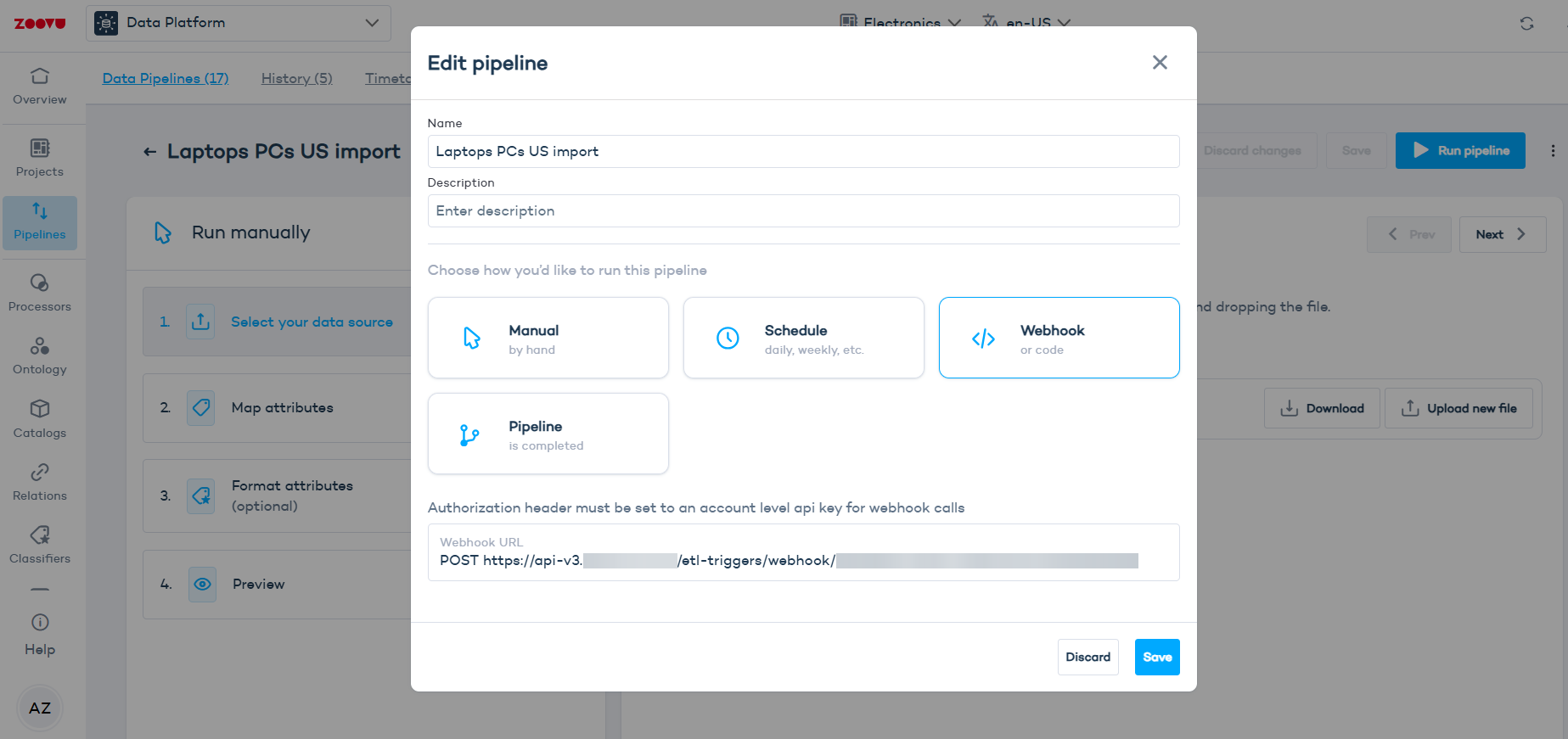
The webhook URL contains a unique pipeline trigger ID. You do not need to find or copy this ID separately. Copy the full webhook URL from the pipeline trigger configuration and use it as the request URL.
Example URL format:
POST https://api.data.zoovu.com/etl-triggers/webhook/<pipeline-trigger-id>
Send the request
To trigger the pipeline, send a POST request to the webhook URL.
The request must include an Authorization header using the Bearer format:
Authorization: Bearer <account-level API key>
Request example
POST https://api.data.zoovu.com/etl-triggers/webhook/<pipeline-trigger-id>
Authorization: Bearer <account-level API key>
If you are using Postman or a similar API client:
| Field | Value |
|---|---|
| Method | POST |
| URL | Your pipeline webhook URL |
| Header key | Authorization |
| Header value | Bearer <account-level API key> |
Example using an API client
Use the same request format in your preferred API client or terminal:
Method: POST
URL: https://api.data.zoovu.com/etl-triggers/webhook/<pipeline-trigger-id>
Header: Authorization: Bearer <account-level API key>
Response codes
| Code | Status | What it means |
|---|---|---|
200 | OK | The pipeline was triggered successfully. |
401 | Unauthorized | The request is missing the Authorization header or the API key is invalid. |
429 | Too Many Requests | The pipeline is already running or the pipeline request limit has been reached. |
A 401 response may include one of these messages:
Missing authorization header
Wrong authentication credentials
Troubleshooting
The request returns 404
- Check that you are using
POST. Webhook pipeline triggers do not supportGETrequests. - Also make sure you copied the full webhook URL from the pipeline trigger configuration. Do not manually edit or rebuild the URL.
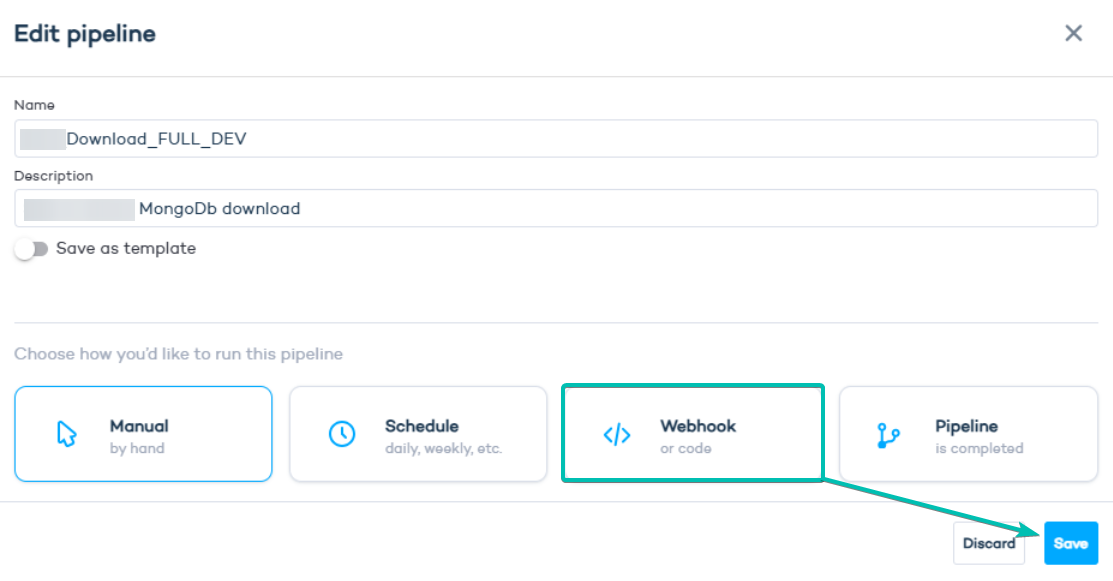
- Edit the pipeline and make sure the trigger is set to
Webhook, then save.
The request returns 401
- Check that the request includes the
Authorizationheader. - The header value must use the Bearer format:
Authorization: Bearer <account-level API key>
- Do not add the API key to the URL as a query parameter.
- Also confirm that the API key belongs to the account that owns the pipeline.
The request returns 429
- The pipeline may already be running. A pipeline can only be triggered if it is not currently running.
- The request limit may also have been reached. By default, each pipeline accepts 1 webhook request per hour.
You can verify if the pipeline has been triggered by checking the history in Data Platform > Pipelines > History:
