Category dependencies
When you edit an attribute in the Ontology, the Category Dependencies tab lets you control which product categories the attribute (or one of its values) will be extracted for.
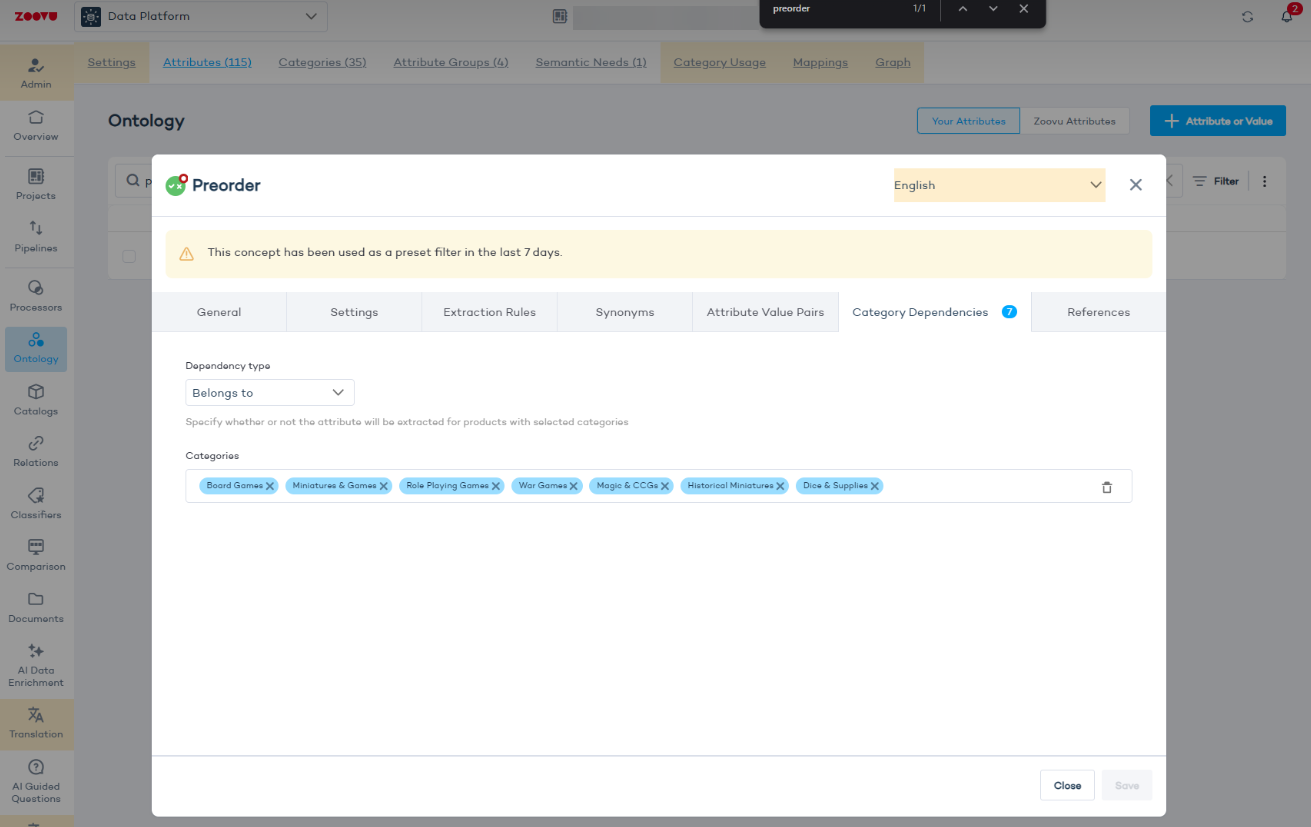
By default, an attribute is extracted across all products in your catalog. You can use this tab to scope it to specific categories. For example, you might want a "Preorder" attribute to apply only to "Board Games" or "War Games" and not to unrelated categories.
Configure category dependencies
- Go to Data Platform > Ontology.
- Find the attribute you want to restrict and click to edit it.
- Navigate to the Category Dependencies tab.
- Set the dependency type to "Belongs to" so extraction applies only to products in the selected categories.
- Under Categories, add the categories this attribute should apply to.
- Click Save.
If category dependencies are set incorrectly or fall out of sync with your catalog structure, products may stop receiving the attribute even when the underlying data is there. It's worth revisiting this setting whenever you restructure your catalog or notice products unexpectedly missing attribute values.
The number badge on the Category Dependencies tab shows how many dependencies are currently configured, so you can quickly spot attributes that have been scoped.