Zoe tools reference and use cases
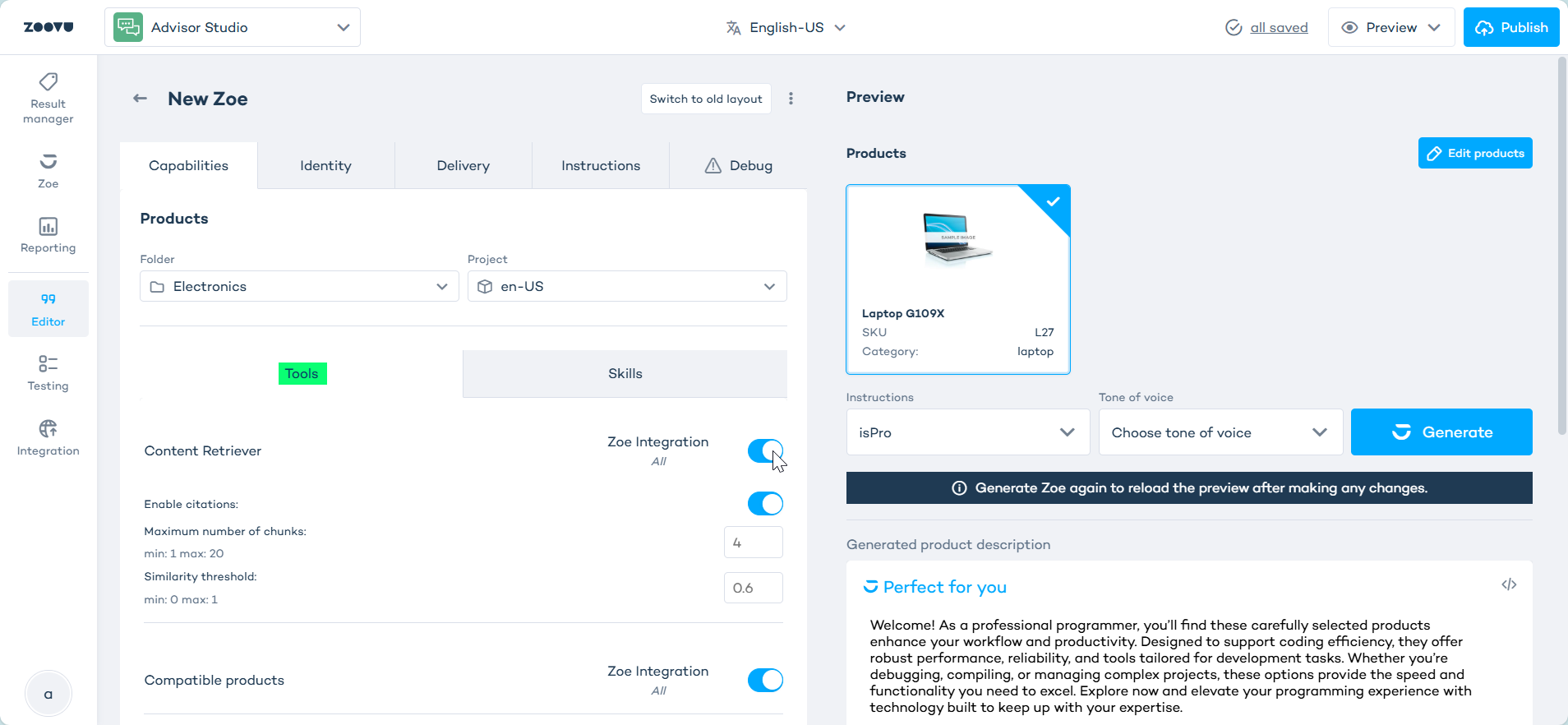
This article covers the setup requirements, settings and common use cases for each Zoe tool. To set up tools, edit your Zoe in Advisor Studio and go to Editor > Capabilities > Tools.
Before you start
Some tools depend on Data Platform setup. If the required data is not available there, enabling the tool in Zoe will not be enough.
Products Information
Products Information is the foundation for product Q&A. It lets Zoe retrieve product information by SKU or name so that it can answer grounded questions about feature and product details.
Products Information is the default tool and is enabled by default. The other tools are optional and depend on your use case and data setup.
Setting
- Maximum number of characters per product attribute - This setting truncates any attribute that exceeds the configured character limit. The default value is
200.
Lower values help keep responses tighter when attribute data is long or noisy. Higher values can help when important detail is being cut off.
Use cases:
- product detail questions
- feature explanations
- specification summaries
- general product chat
Example questions:
- What are the main features of this product?
- What makes this model different?
- Is this a good fit for a small apartment?
Product Variants
Use this tool when Zoe should surface other versions of the same product, such as sizes, colors or capacities.
This tool is disabled by default and requires variants to be configured in Data Platform before enabling it. Learn more.
Setting
- Variant limit - This setting controls the maximum number of variants Zoe returns for a single product. The default value is
300.
Use a lower value when product families are large and responses should stay focused.
Use cases:
- size and color questions
- variant discovery on PDPs
- comparison within a product family
Example questions:
- Does this come in black?
- What sizes are available?
- Do you have a larger version of this?
Compatible Products
Use Compatible Products when Zoe should recommend items that work with another product.
This tool requires relations to be configured in Data Platform, using the Compatible relation type.
Use cases:
- accessory recommendations
- spare-part guidance
- compatibility checks before purchase
Example questions:
- What accessories fit this product?
- Which spare part works with this model?
- Do I need anything else for this setup?
Search Products
Use this tool when Zoe should suggest similar or alternative products.
This tool is available for advanced setups only. It is disabled by default and requires vector database search to be configured in Data Platform.
Settings
- Similarity - This setting controls how strictly Zoe searches for related products. It supports three values.
- Default Behavior - Use this when you want the most precise matches.
- Retry With Relaxed Filters - Use this when strict filtering often returns no results. This mode bypasses filters if the result set would otherwise be empty.
- Vector-only Search - Use this when you want the broadest semantic matching. This mode bypasses category limitations and returns nearest products based only on vector similarity.
Use cases:
- similar product recommendations
- cheaper or premium alternatives
- broader discovery beyond the current product
Example questions:
- Can you suggest something similar?
- Do you have a cheaper alternative?
- Show me other options like this
Content Retriever
Use this tool when Zoe should answer from manuals, guides, policies, or other external knowledge sources.
This tool uses retrieval-augmented generation (RAG). It is disabled by default and requires the relevant documents or knowledge sources to be configured in Data Platform before enabling it. Learn more.
Settings
- Enable citations - When enabled, Zoe displays visual citations showing which source documents were used to generate the response.
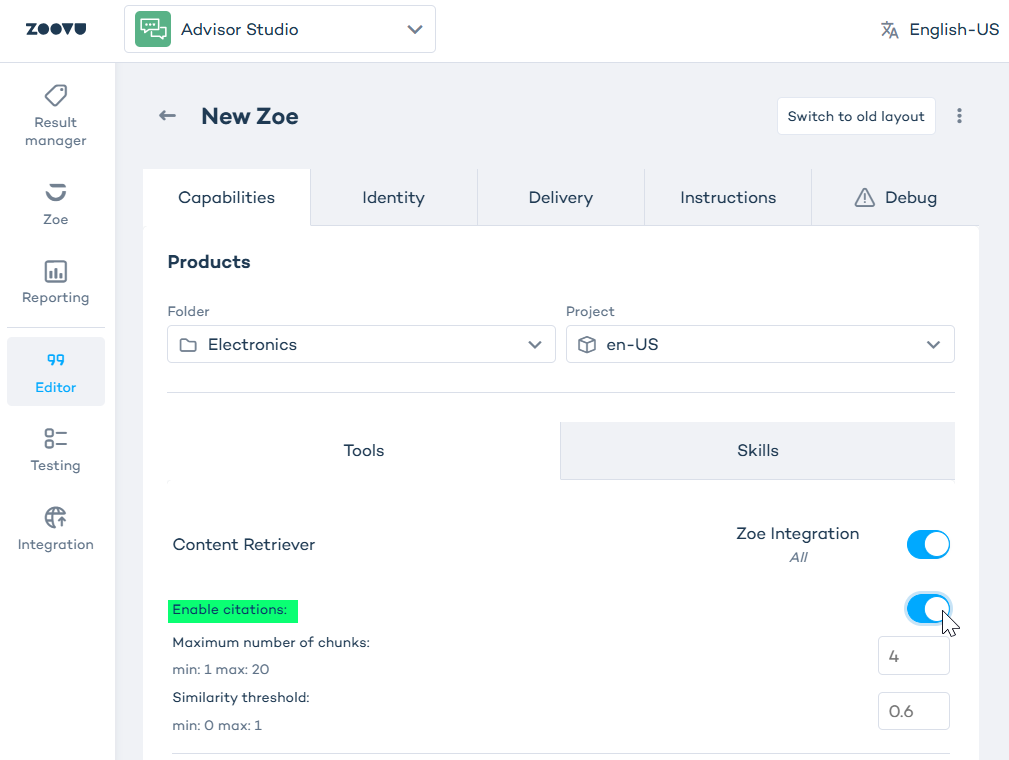
- Maximum number of chunks - This setting controls the maximum number of document chunks Zoe retrieves for a query. Higher values improve answer coverage, but they can also increase response time.
- Similarity threshold - This setting defines the minimum similarity score a document chunk must meet to be included. Higher values return only the most relevant chunks.
Use cases:
- installation guidance
- maintenance questions
- policy and warranty answers
- document-grounded support responses
Example questions:
- What does the manual say about cleaning?
- How do I install this?
- Can this be used outdoors?
- What is the warranty policy?