Set up Instructions in Zoe
The Instructions tab is where you shape how Zoe behaves in conversation. Use it to guide how Zoe responds, when it should redirect, and how it should adapt for different customer types.
Instructions do not carry over from one section to another. For example, text added in Conversation only affects conversation responses.
General instructions
Use general instructions to tell Zoe how to behave in different situations, within the following scopes:
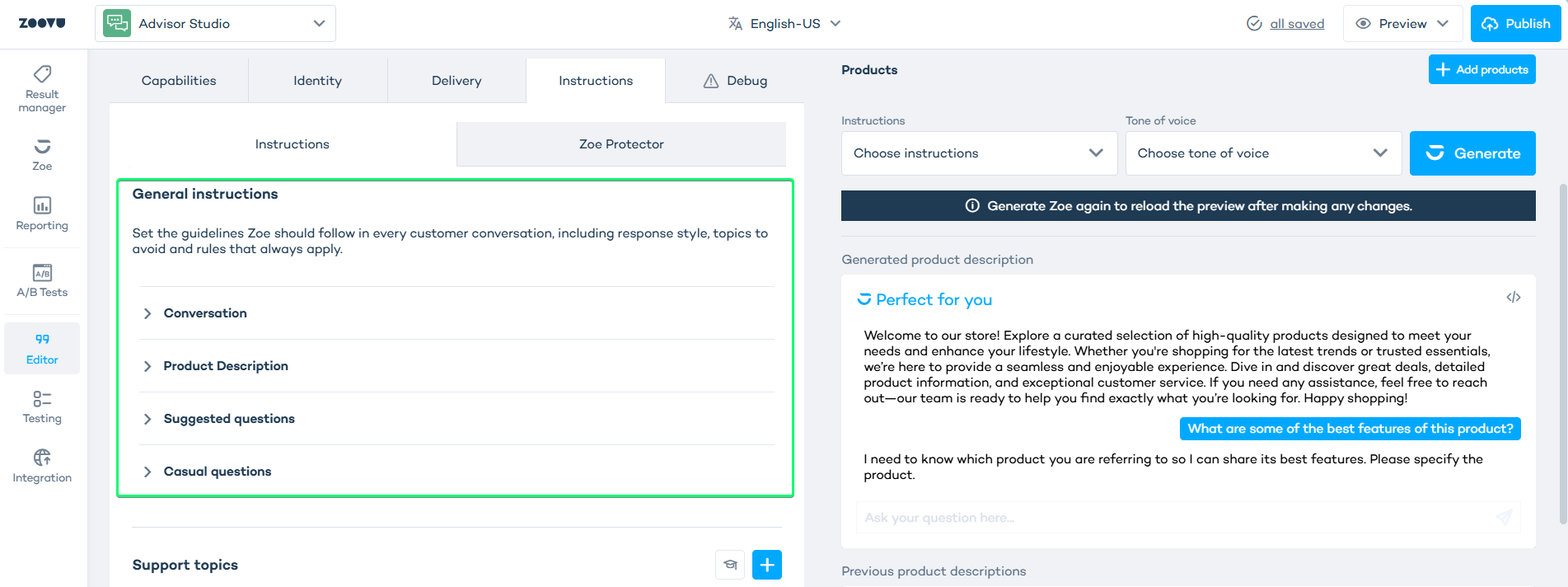
- Conversation – overall tone, style, and interaction rules for Zoe.
- Product description – how Zoe should describe products (depth, focus, do/don’t mention).
- Suggested questions – how Zoe should generate and phrase follow‑up/suggested questions.
- Casual questions – how Zoe should behave for small talk, greetings and non‑product questions.
Support topics
Use Support topics for questions Zoe should not try to resolve on its own. This is the right place for support-related inquiries such as:
- order status
- returns and refunds
- warranty claims
- account issues
- shipping problems
Each row includes:
- Name — a short label for the support topic
- Description — what Zoe should do when that topic comes up
Example
| Name | Description |
|---|---|
| Returns | Direct the customer to the returns help page |
| Order status | Ask the customer to contact support for order-specific updates |
Fallback topics
Use Fallback topics to guide Zoe when the customer moves away from a direct product question.
Typical fallback situations include:
- broad comparison requests
- alternative recommendations
- vague browsing questions
Same product category
Use this field for broader questions that still belong to the same category.
Examples:
- "What else is similar to this?"
- "Can you suggest other options?"
- "Which one is better for a small apartment?"
- "What should I compare in this category?"
This tells Zoe to stay helpful and continue guiding the customer within the same product space.
Unrelated queries
Use this field for questions that are outside the purpose of your Zoe experience:
- general knowledge questions
- support questions with no product context
- requests unrelated to the catalog
Example
| Field | Example guidance |
|---|---|
| Same product category | If the customer asks for alternatives or comparisons, keep helping within the same category |
| Unrelated queries | Politely explain that Zoe focuses on product guidance |
Conditional instructions
Use Conditional Instructions to tell Zoe how to adapt for different customer profiles, contexts or buyer types.
This is where you define changes in:
- tone
- depth
- level of explanation
- recommendation style
- what Zoe should prioritize
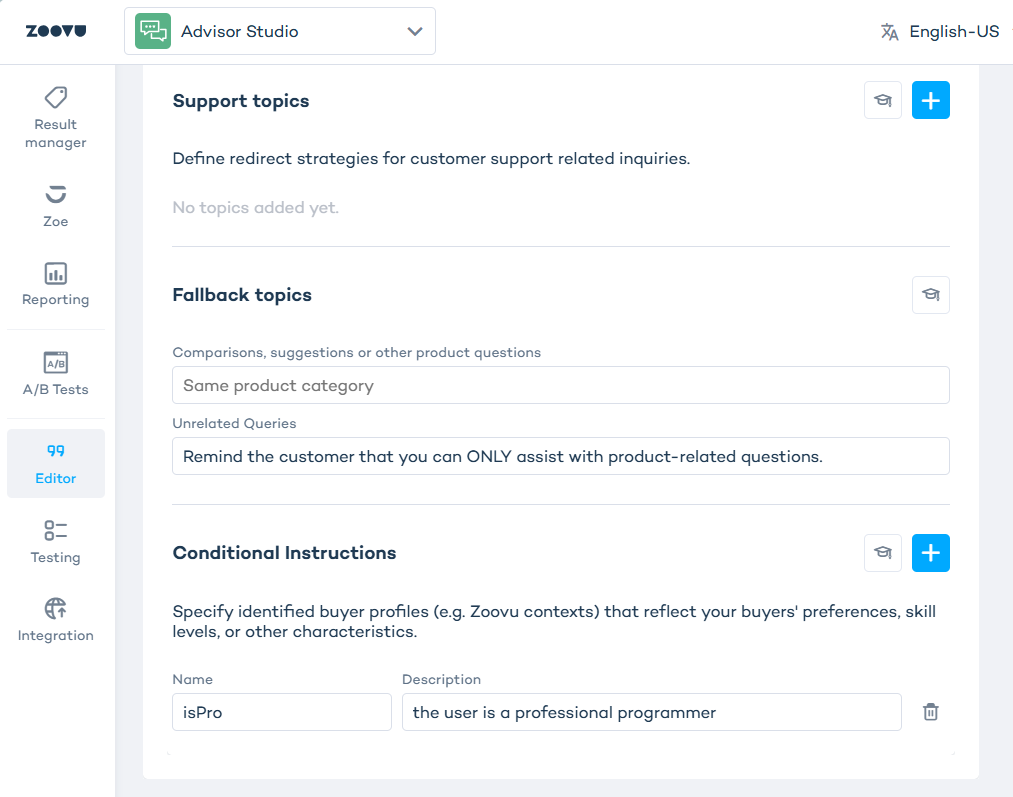
- Name — the profile or context label
- Description — how Zoe should behave when that profile applies
Example
| Name | Description |
|---|---|
| firstTimeBuyer | Be clear, reassuring, and explain concepts step by step |
| budgetFocused | Prioritize value options, lower-cost alternatives, and practical tradeoffs |
| featureFocused | Lead with specs, differences, and performance details |