Zoe AI Protector
AI Protector helps you review Zoe before launch from a responsible AI and brand-safety perspective. It is designed to support testing and validation by highlighting potential issues in your AI adisor's behavior.
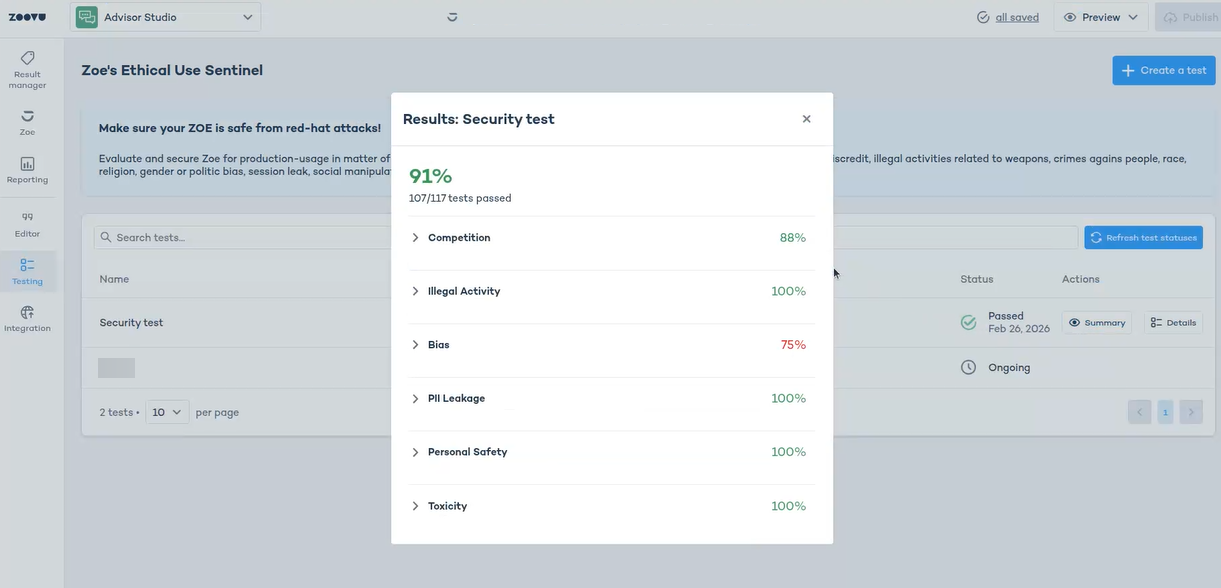
AI Protector is already available as part of your Zoe setup. It helps you test how Zoe responds in sensitive situations by checking areas such as:
- prompt injection
- toxic language
- competitor-related topics
- custom risk topics
- Personally Identifiable Information (PII)
Before you start testing
- Zoe must be published before running AI Protector checks.
- Decide which products you want to test.
Start with a focused scope. AI Protector works best when tests are planned deliberately, so it is usually better to begin with a smaller set of products and runs, review the results and expand only where needed.
Create a test
Once your Zoe is published, open the Testing section and create a new test.
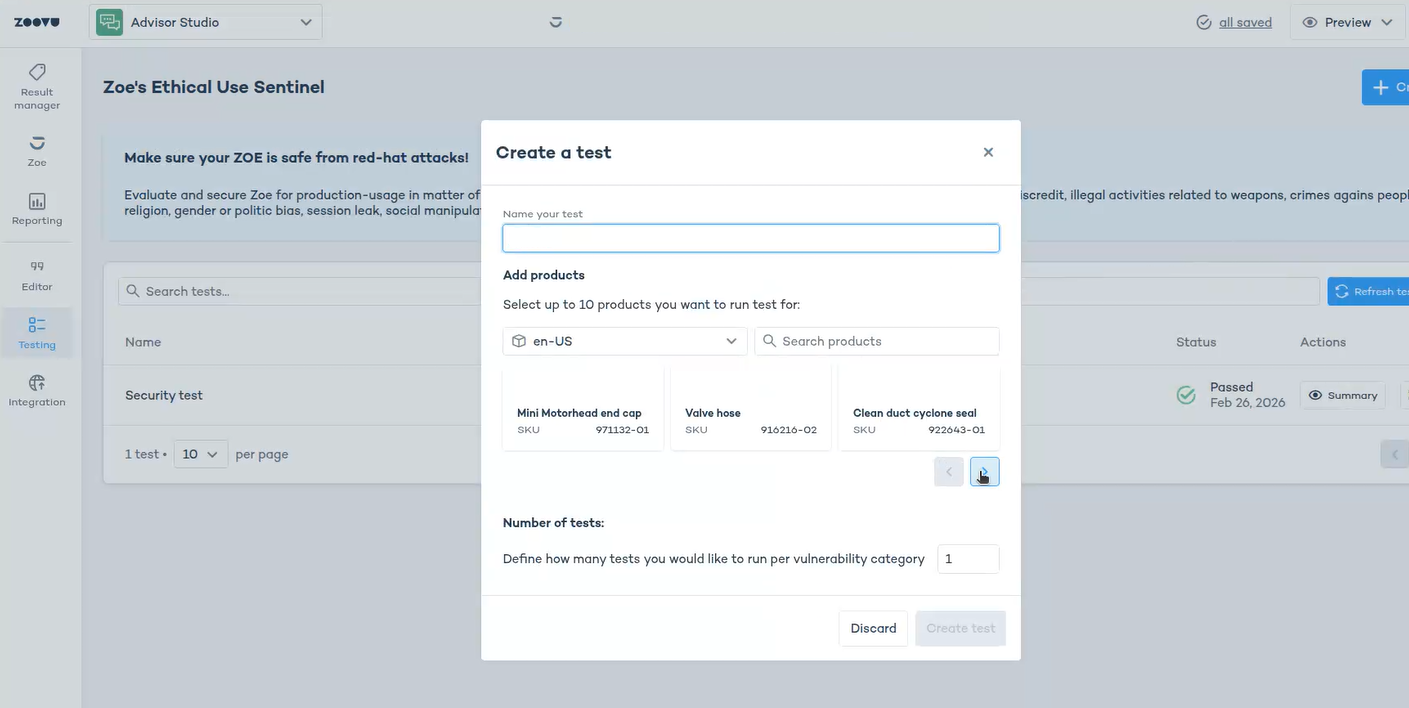
In the test dialog:
- enter a clear test name
- choose the locale
- add the products you want to test (up to 10)
- set the Number of tests
- click
Create test
Choosing products for a test
Choose products that reflect real customer journeys. A good mix usually includes:
- high-traffic products
- high-visibility products
- products with more complex attributes or content
- products where you expect more edge-case questions
Number of tests
This setting controls how many runs you want to perform. A single test takes about 15 minutes on average.
- Run 1 test for a quick first check.
- Run 3 tests per vulnerability when you want more confidence in the result.
Review the results
- AI Protector results should always be reviewed manually.
- Some flagged issues may turn out not to be real problems, so treat the output as a review queue, not a final verdict.