Assistant with search results
Use search results when you want users to explore or filter through a wider set of matching products.
Step 1: Configure search in Search Studio
Set up your search configuration before adding it to your assistant.
Learn more.Step 2: Add a results page to your flow
Add search capabilities to your assistant:
- Open your assistant in Conversation Studio.
- Go to the Flow tab.
- Add a results page after your questions.
- Select the results page module and click on the shopping card icon.
- Add "Advanced Search".
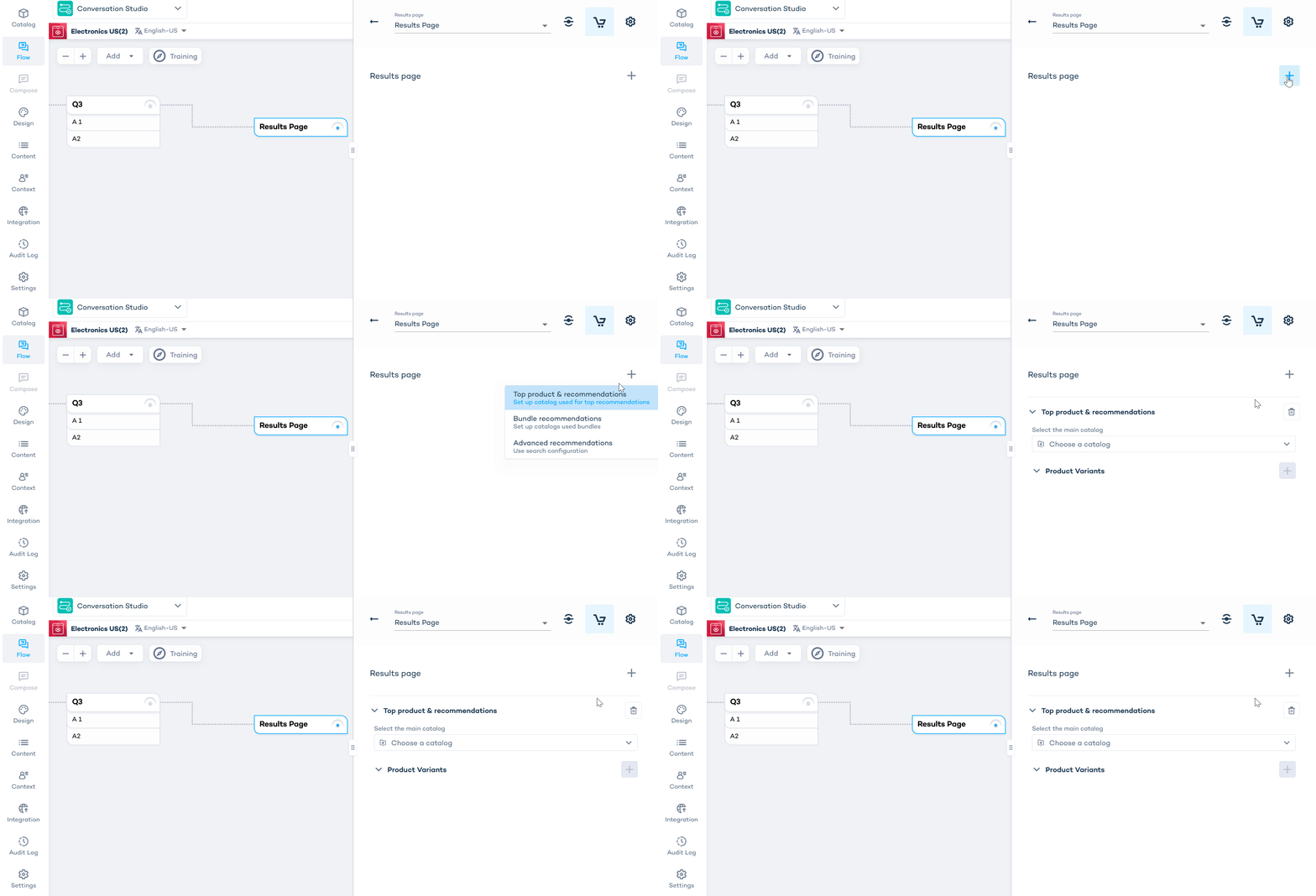
- Under advanced recommendations, select the product catalog used in your search configuration.
- Select the search configuration.
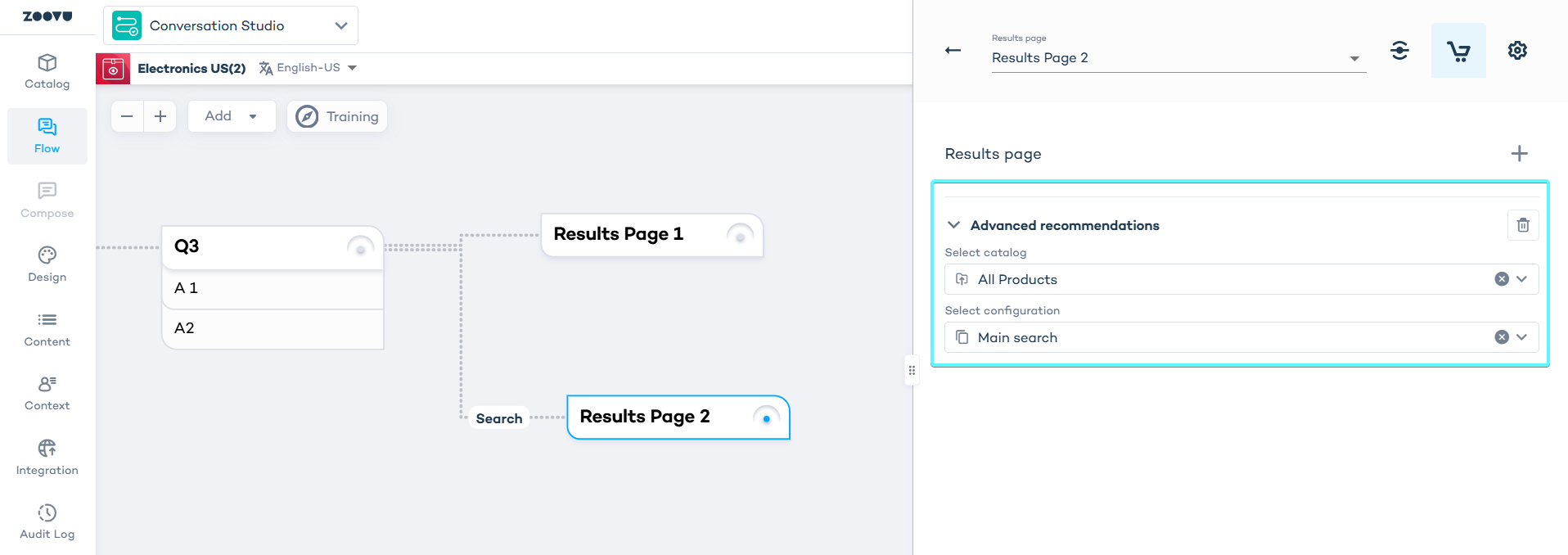
By default, you will be able to select Main Search. If your project contains multiple search configurations, you can check their names in Search Studio before connecting to the assistant.
Step 3: Set up routing logic
Connect your questions to the search results page:
- In the Flow tab, click the dot in the top right corner of a question node.
- Drag the connection line to your search results page.
- Name the route (e.g. "Search", "Explore products").
- In the question's routing settings, specify which answers trigger this route. Learn more.
Consider routing customers to search when they:
- Give vague or general answers
- Select "I'm not sure" or "Show me all options"
- Need to explore a broad product category
Step 4: Design your search experience
Configure the visual layout:
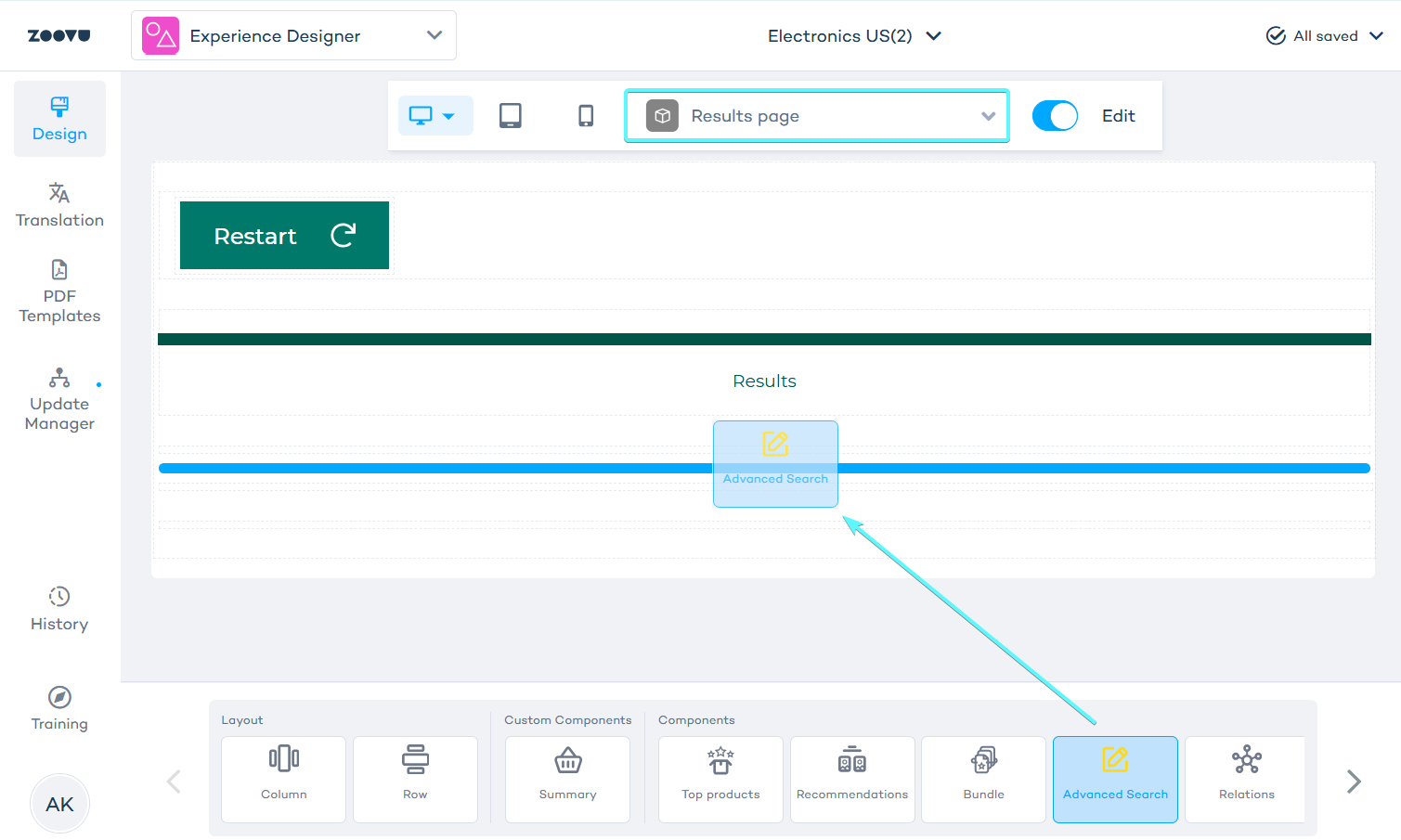
- Switch to the Design tab and open Experience Designer.
- Use the page selector to choose your results page.
- Drag the Advanced Search component from the components bar onto your canvas.
- Save your changes.
Step 5: Preview and test
Test your assistant:
- Click Preview to test the complete flow.
- Navigate through the questions to reach your search-enabled results page.
- Test search functionality.
Customizing search design
- Experience Designer: Customize colors to match your assistant's design.
- Search Studio > Design & Publish: Configure search behavior, filters, layout options, and advanced functionality.