Ranking strategy in a configurator inside a unified assistant
Configurator ranking strategy lets you control which products appear first inside a configurator section, based on what the user selects during the assistant flow.
How configurator ranking works
Configurator ranking operates in its own context, separate from result pages.
Configurator ranking applies per section, not per catalog. Even if multiple sections use the same catalog, each section can rank products differently.
Within a configurator section, ranking follows a clear priority order:
- Feature answer ranking – highest priority
- Section-level ranking – fallback when no feature answer ranking applies
The most recent feature selection inside the section determines the product order.
Configure ranking for configurators
Step 1: Create a ranking strategy in Search Studio
Before you can use ranking in a configurator, define the strategy in Search Studio. Once it's saved, the strategy becomes available for use in the Assistant.
Learn more.Step 2: Apply ranking at feature answer level (recommended)
Use this when product order should change based on user selections inside the configurator. This strategy has the highest priority within the section.
- Go to Assistant > Compose > Section > Features > Answer > Recommendations
- Here, you assign a ranking strategy to a specific feature answer. When the user selects that answer, products in the section reorder immediately.
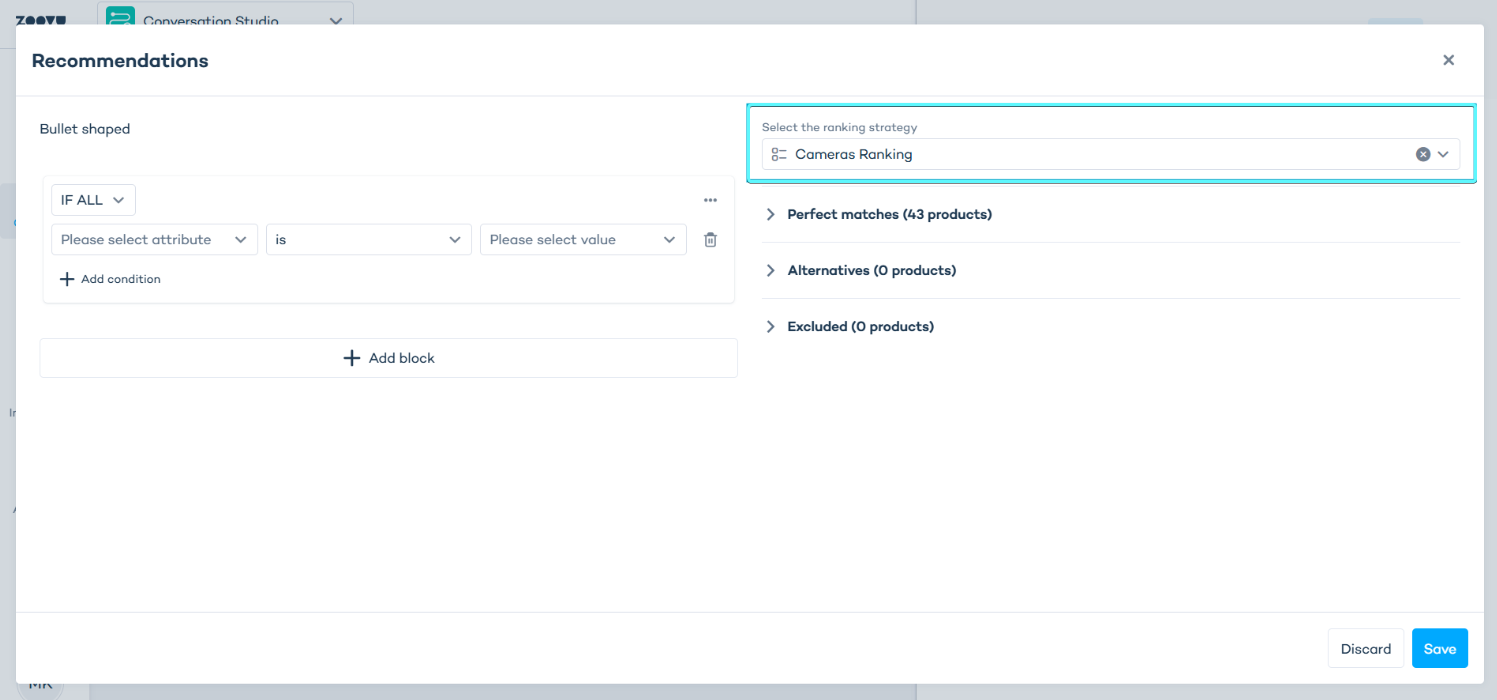
Use this when:
- Different feature values should promote different products
- You want ranking to react dynamically to configuration choices
Step 3: Set a section-level fallback ranking (optional)
Use this strategy to define a default order when no feature-based ranking applies.
- Go to Assistant > Compose > Section > Section settings
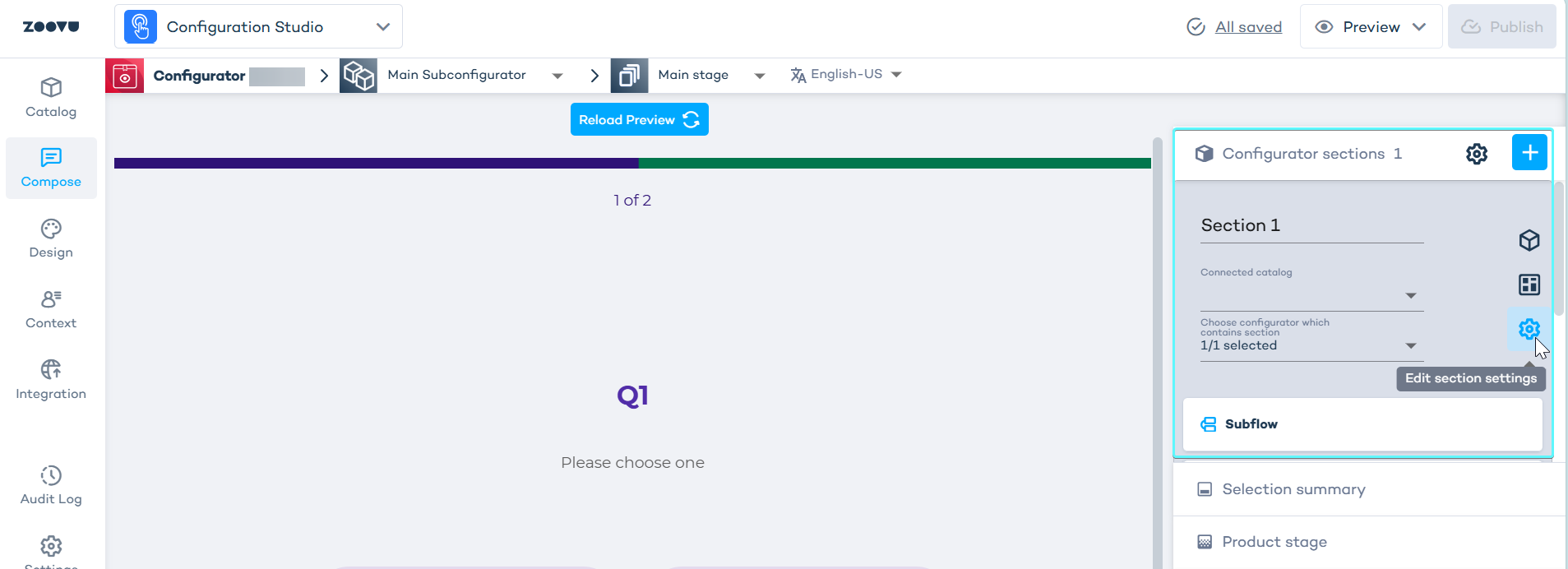
The section-level strategy is applied only when:
- no feature answer with ranking is selected
- the section is first loaded
Priority rules
Configurator ranking always follows this order:
- Most recently selected feature answer in the section
- Section-level ranking strategy
- Feature-level rules override section-level rules automatically.
Using URL preselection with configurator ranking
- When answers are preselected via the URL, the system applies ranking strategies in the same order as the answers appear in the link.
- Ranking behaves the same as if the user clicked the answers manually.
- The correct feature-level strategy is applied first.
To learn how to preselect answers and preserve their order, see URL Preselection.