Ranking strategy in unified assistants
Ranking strategy lets you control the order of products shown to users in an assistant. Instead of always displaying results in default order, you can promote products that better match what users select during their journey.
Quick setup: ranking strategy
Ranking strategy controls how products are ordered for users based on their selections in the assistant. You define strategies in Search Studio and apply them in the assistant.
Step 1: Create strategy in Search Studio
- Open Search Studio > Ranking strategies
- Add a new strategy and define how products should be ranked (e.g., by relevance, margin, or custom logic)
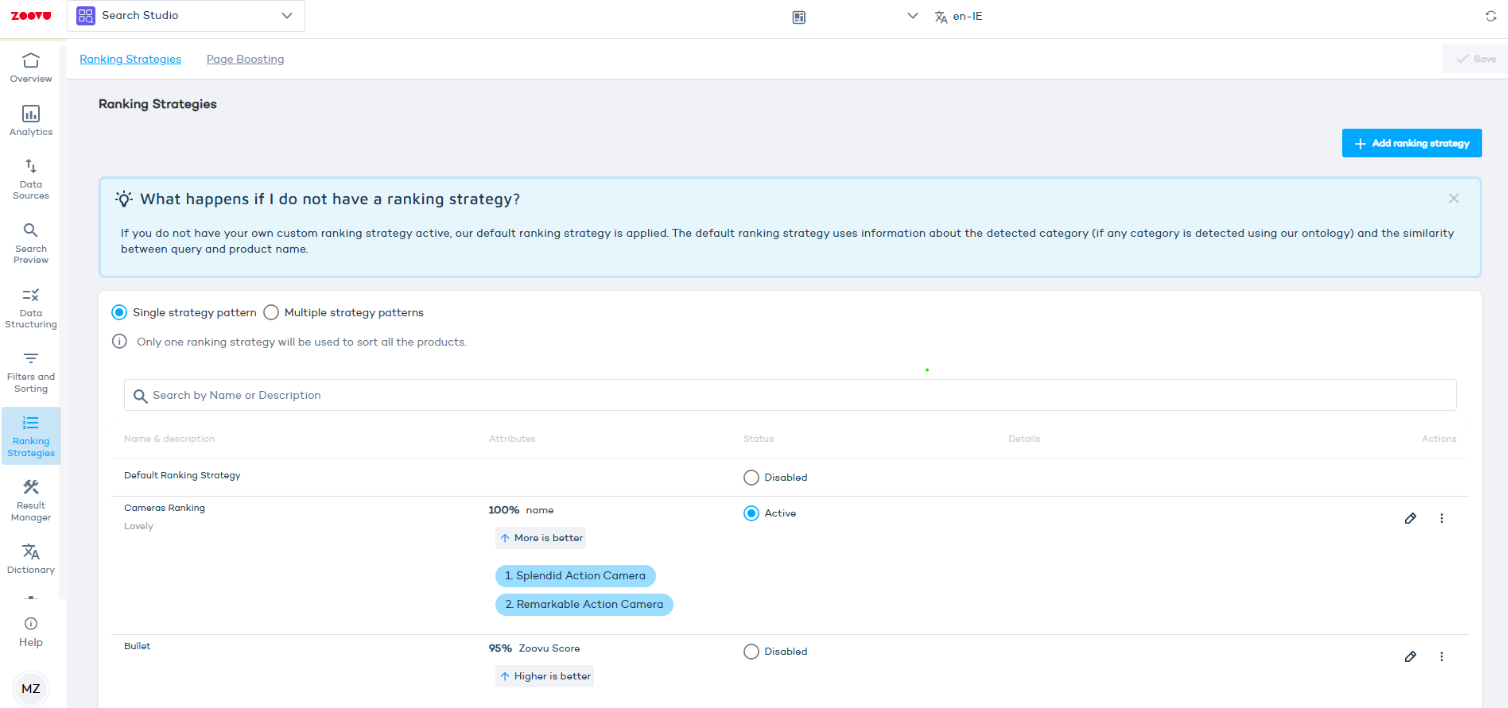
Step 2: Apply
- Go to Question > Answer > Recommendations
- Assign the ranking strategy ID to the answer
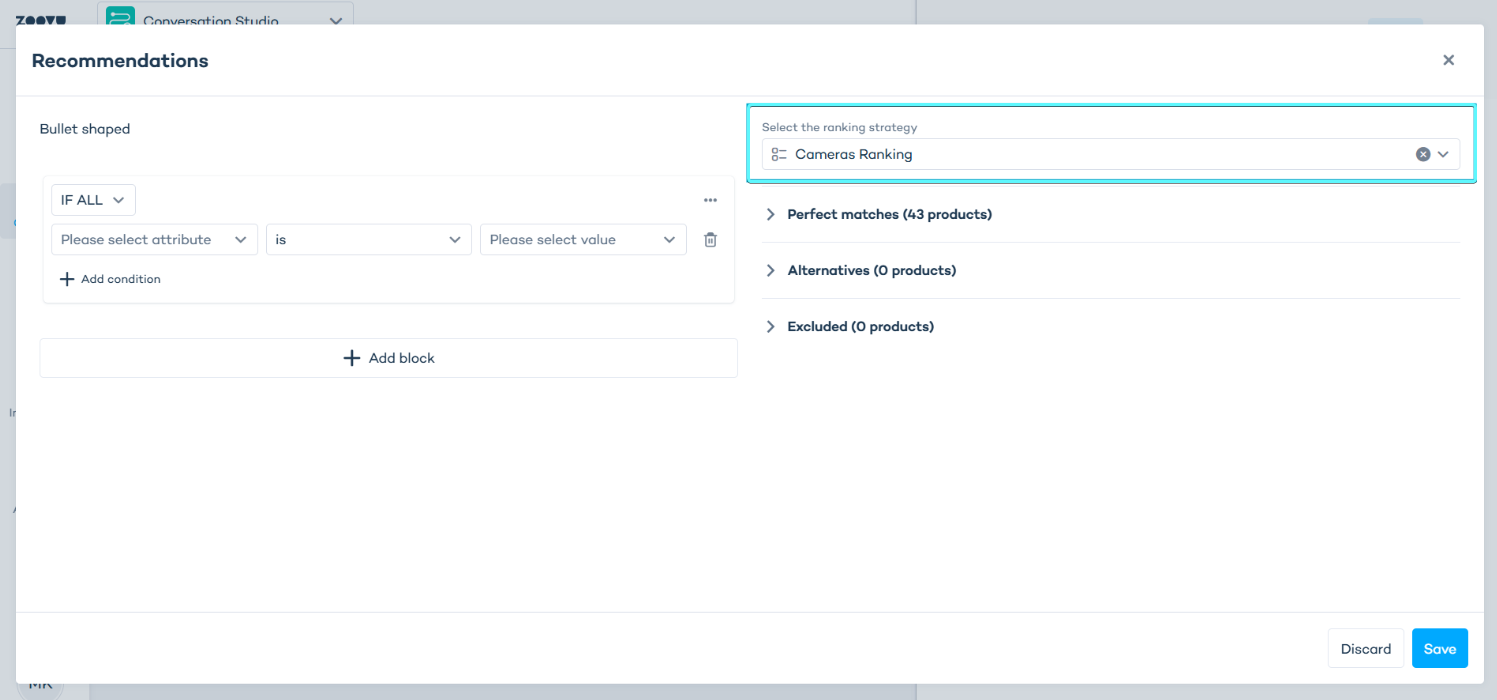
Step 3: Set default strategy (optional)
- In Result page settings > Recommendations, choose a default strategy per catalog
- This applies when no answer-level strategy is active
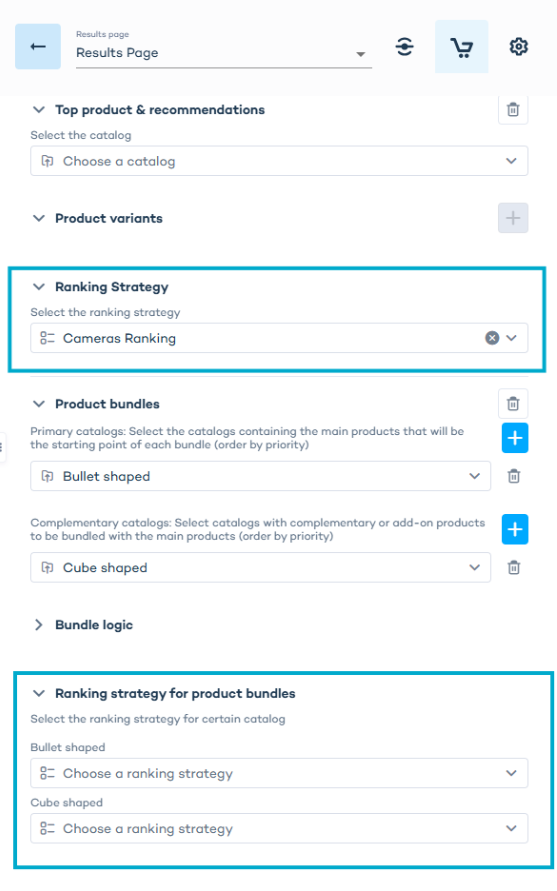
Step 4: Configurator setup
- In Compose tab > Section > Features > Answer, add strategies for configurator answers
- Or set a section-level strategy as fallback
Step 5: Test the behavior
- Preview the assistant
- Select different answers and confirm product order changes based on applied strategies
How ranking strategy works
You create and manage ranking strategies in Search Studio, and then apply them in the assistant. The system uses priorities - more specific strategies override general ones.
Ranking strategy behaves differently depending on where it is applied:
- Result page context – ranking products for recommendations shown on the result page, configured per catalogId
- Configurator context – ranking products for recommendations inside a configurator section, configured per sectionId
When several catalogs are used on the result page, each catalog can have its own ranking strategy. One answer can define different strategies for different catalogs, and these are tracked separately in /bulk-products requests.
Defining strategies in Search Studio
Before applying ranking strategies in the assistant, first define them in Search Studio. You can name and configure them based on business logic, such as promoting high-margin products or matching specific attributes.
Learn more: Search Studio – Search Plugin
Bulk products request
When ranking strategies are configured, the /bulk-products request includes a rankingStrategies section:
Result page example
{
  "catalogs": [
    { "identifier": "123", "catalogId": "123" },
    { "identifier": "456", "catalogId": "456" }
  ],
  "rankingStrategies": [
    { "identifier": "123", "rankingStrategies": ["strategy-for-catalog-123"] },
    { "identifier": "456", "rankingStrategies": ["strategy-for-catalog-456"] }
  ]
}
Configurator example
{
  "catalogs": [
    { "identifier": "789", "catalogId": "123" }
  ],
  "rankingStrategies": [
    { "identifier": "789", "rankingStrategies": ["strategy-for-section-789"] }
  ]
}
- In the result page, identifier equals catalogId (strategy per catalog)
- In the configurator, identifier equals sectionId (strategy per section)
URL preselection
When preselecting answers using URL parameters, the system applies ranking strategies based on the order of answers in the URL.
Priority rules
Result page context
- Strategy from the most recently selected answer – highest priority
- Strategy defined on the result page – used as fallback
Configurator context
- Strategy from the most recently selected feature answer in a section – highest priority
- Strategy defined at section level – used as fallback
Where to apply ranking strategies
Result page
Answer level (priority 1)
Location: Assistant > Question settings > Answer > Recommendations
Add a ranking strategy to an answer to change product order dynamically based on what the user selects. Each answer can define different ranking strategies for different catalogs.
Result page level (priority 2)
Location: Assistant > Result page settings > Recommendations configuration
Define default strategies per catalog for the result page. These apply only if no answer-level strategy is active for that catalog. You can configure different strategies for top product recommendations or each bundle.
Configurator
Feature answer level in section (priority 1)
Location: Assistant > Compose tab > Section > Features > Answer > Recommendations
Works the same way as result page answers, but only within configurator sections.
Section level (priority 2)
Location: Assistant > Compose tab > Section settings
Define a default ranking strategy for a configurator section. It controls product order when no feature-level strategy is active.